

Why Does My Double-Sided LED Display Show Color Mismatch Between the Two Sides
2026-09-01
Nothing frustrates a business owner more than installing a premium Double-Sided LED Display only to notice that the two screens display noticeably different colors. This issue—often called "panel-to-panel color variation"—can undermine brand credibility, distract viewers, and reduce advertising effectiveness. At Allenson, we have diagnosed and resolved hundreds of such cases across retail, transportation, and outdoor media sectors. The root causes are rarely a single factor; they usually stem from hardware, software, environmental, or calibration variables.
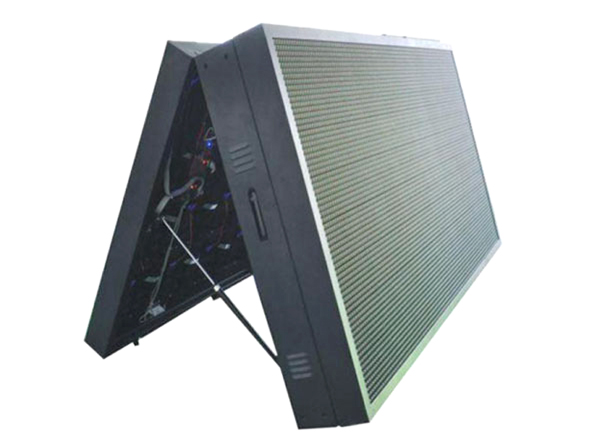
Primary Causes of Color Mismatch on Dual-Side Screens
1. LED Chip Grade and Bin Differences
Not all LEDs are born equal. Manufacturers sort (or "bin") LEDs by wavelength (color) and brightness. If your Double-Sided LED Display uses different bin codes for the front and rear panels—even from the same factory—the whites will look warmer on one side and cooler on the other. Allenson enforces strict single-bin sourcing for all dual-side projects, ensuring ΔE (color difference) stays below 2.0, which is imperceptible to the human eye.
2. Driver IC and PWM Frequency Variation
The driver IC controls current and grayscale. When the two sides operate at different Pulse Width Modulation (PWM) frequencies, the perceived brightness and tint shift—especially at lower brightness levels. This mismatch becomes obvious at night or indoors.
3. Aging and Thermal Drift
Outdoor Double-Sided LED Displays experience unequal sun exposure. The south-facing side ages faster, losing blue-chip luminance. Over 12–18 months, this thermal drift creates a greenish or yellowish cast on the hotter side.
4. Incorrect Gamma and Color Temperature Settings
Many installers copy configuration files from one side to the other without re-measuring the actual panel response. If the receiving card firmware differs, or if the color temperature (e.g., 6500K vs. 7500K) isn't individually tuned, mismatch is guaranteed.
5. Video Processor Outputs with Different LUTs
High-end processors apply Look-Up Tables (LUTs) per output port. If the LUT for Port A (front) differs from Port B (rear), skin tones and logos will shift dramatically—even with identical input signals.
Diagnostic Checklist (Allenson Recommended)
| Symptom | Likely Root Cause | Quick Test |
|---|---|---|
| White looks pink on front, blue on rear | LED bin mismatch | Swap sending card outputs; if mismatch swaps sides, issue is in processor/LUT |
| Mismatch only at 30% brightness, fine at 100% | PWM frequency difference | Set both sides to same brightness curve via software |
| Mismatch worsens after 2 PM (outdoor) | Thermal drift / uneven cooling | Measure rear-side temperature; install active cooling on hotter side |
| Skin tones unnatural on one side | Gamma (2.2 vs 2.4) | Use a colorimeter to plot actual gamma curve per side |
| Mismatch appears after firmware update | Corrupted calibration data | Re-upload factory calibration files from Allenson support portal |
Step-by-Step Professional Fix (Hardware + Software)
Step 1 – Verify Signal Path: Run a pure white (255,255,255) and pure gray (128,128,128) test pattern on both sides. If mismatch appears in test patterns, the issue is downstream of the video source.
Step 2 – Measure with a Chroma Meter: Use an X-Rite or Konica Minolta colorimeter. Record x/y chromaticity for both panels at 100%, 75%, 50%, and 25% brightness. The target ΔE ≤ 3.0 for commercial use; Allenson guarantees ΔE ≤ 1.5 on factory-calibrated units.
Step 3 – Apply Per-Panel Calibration: Never copy settings blindly. Use Novastar or ColorLight software to generate independent calibration coefficients for each side. Store these on the receiving card’s EEPROM.
Step 4 – Synchronize Firmware Versions: Ensure both receiving cards run identical firmware builds. A 0.1 version difference can alter dithering algorithms.
Step 5 – Environmental Compensation: For outdoor units, enable the built-in ambient light sensor and auto-brightness curve—but calibrate each sensor independently, because they face different light conditions.
Long-Term Prevention Strategy
-
Procurement: Always request same-bin LED and same-batch driver ICs. Allenson provides a "Bin Certificate" with every Double-Sided LED Display shipment.
-
Installation: Orient the display to minimize differential solar load. Use louvres or sunshades on the brighter side.
-
Maintenance Schedule: Run a full chromatic calibration every 6 months. Log the readings to track drift trends.
-
Redundant Processors: If using two video processors, match their LUT firmware and sync timing with genlock.
Frequently Asked Questions (FAQ) About Double-Sided LED Display Color Issues
Q1: Can I fix color mismatch just by adjusting the RGB gains in the software?
A: Not permanently. Adjusting global gains helps only if the mismatch is a simple brightness offset. If the issue is wavelength bin difference or gamma curve distortion, gain adjustments will create new errors in mid-tones and shadows. The correct approach is to perform a full 3D LUT calibration per side using a colorimeter and dedicated calibration software. Allenson offers remote calibration support where our engineers guide you through generating side-specific profiles—this takes 20 minutes and delivers a lasting fix.
Q2: Why does my Double-Sided LED Display show perfect match at noon but severe mismatch at dusk?
A: This classic symptom points to mismatched ambient-light compensation curves. Each side has its own light sensor; if they are not individually profiled, the display dims at different rates as sunlight fades. Additionally, at lower brightness, the PWM duty cycle becomes very narrow, and any difference in the driver IC's linearity becomes amplified. The solution is to disable auto-brightness temporarily, manually set both sides to the same fixed brightness (e.g., 80%), and verify match. If match returns, then re-calibrate each sensor's lux-to-brightness mapping table separately.
Q3: Is it worth hiring a professional calibrator, or can our in-house AV team handle it?
A: It depends on your tolerance for color accuracy. If your display shows retail products, luxury brands, or healthcare imagery, we strongly recommend a professional colorist with a spectroradiometer—because consumer-grade colorimeters lack accuracy for narrowband LEDs. However, if you have a mid-range colorimeter (e.g., i1Display Pro) and your Double-Sided LED Display uses Novastar or ColorLight systems, your AV team can achieve excellent results by following Allenson’s step-by-step video guides. We also provide a cloud-based comparison tool that lets you upload both sides' measurement data and generates a correction LUT automatically—saving you 70% of the manual effort.
Final Verdict from Allenson
Color mismatch on a Double-Sided LED Display is not a defect—it is a fixable engineering challenge. The difference between a mediocre installation and a premium visual experience lies in calibration discipline, component traceability, and environmental awareness. Allenson has built its reputation on delivering dual-side displays that maintain visual consistency across all lighting conditions, from harsh midday sun to dim indoor ambience. Our proprietary Allenson ChromaSync™ module actively monitors and adjusts both panels in real time, preventing drift before it becomes visible.
Ready to resolve your color mismatch permanently?
Contact Allenson today for a free remote diagnostic session. Our support engineers will analyze your configuration files, temperature logs, and calibration history—and deliver a tailored action plan within 24 hours. Whether you need replacement receiving cards, a custom LUT package, or on-site calibration training, we are here to make both sides of your display look perfectly identical. Reach out via our website or call your regional Allenson representative—because your brand deserves a single, flawless image, from every angle.