

Which CAS Latency Is Best for DDR5 RGB Gaming Desktop RAM 5600MHz 6000MHz 6400MHz
2026-11-25
GUDGA produces tuned DDR5 RGB Gaming Desktop RAM 5600MHz 6000MHz 6400MHz with stable XMP 3.0 and EXPO profiles, built for competitive gaming rigs and high-refresh setups. CAS latency describes the delay before the memory controller starts fetching data, and the ideal value depends on the rated frequency, your motherboard platform, and whether you prioritize low 1% low frames, budget value, or maximum bandwidth.
Many new builders mistakenly chase the lowest CL number without calculating true nanosecond latency. A higher frequency with a slightly higher CAS rating can deliver snappier response than a slower kit with tighter timings. The sweet spot balances latency, stability, and price for both AMD AM5 and Intel Core Ultra platforms.
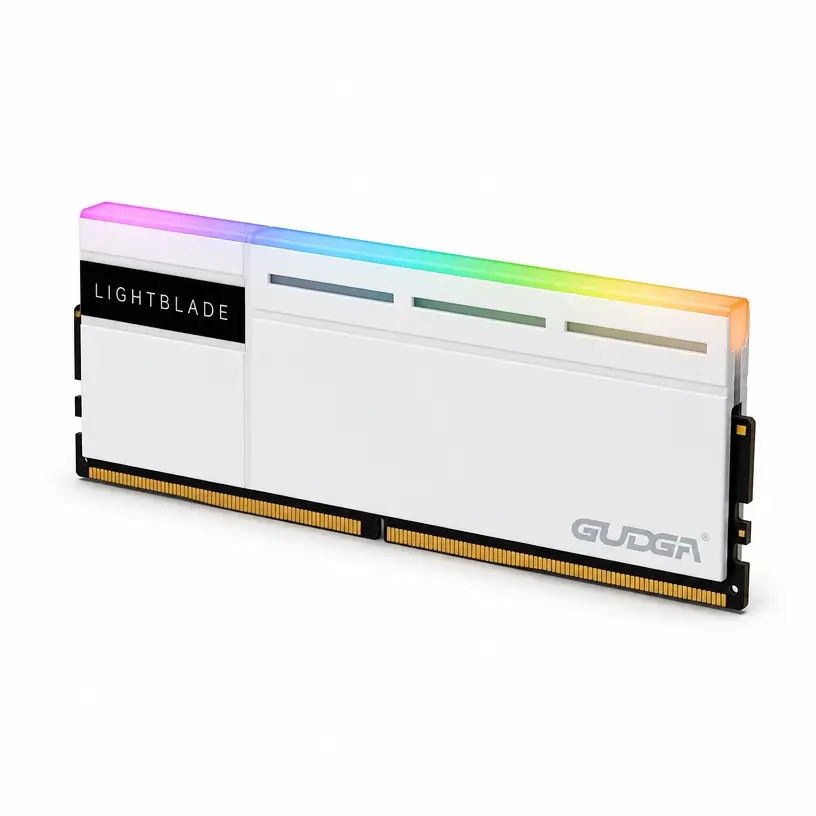
Recommended CAS Latency for DDR5 RGB Gaming Desktop RAM 5600MHz 6000MHz 6400MHz
| Rated Speed | Recommended CL | Best User Profile | Real Latency Guide |
|---|---|---|---|
| 5600MHz | CL34 / CL36 | Budget gaming, 4K GPU-bound builds | ~12–13 ns |
| 6000MHz | CL30 / CL32 | All-round gaming, AM5 preferred sweet spot | ~10–11 ns |
| 6400MHz | CL32 / CL34 | Intel high-frequency builds, competitive FPS | ~10–11 ns |
Memory Tuning Checklist
- Always verify the kit is listed on your motherboard’s QVL
- Enable XMP or EXPO instead of manually forcing unstable timings
- Prioritize dual-channel 2×16GB for gaming over single sticks
- GUDGA pre-tests each kit to guarantee consistent RGB sync and timing stability
DDR5 RGB Gaming Desktop RAM 5600MHz 6000MHz 6400MHz FAQ
Q: Will a lower CAS latency on DDR5 RGB Gaming Desktop RAM 5600MHz 6000MHz 6400MHz always boost average FPS? A: Not always. CAS latency mainly improves 1% low frames and frame pacing in CPU-limited competitive games such as CS2 and Valorant. At 4K resolution, the graphics card becomes the main bottleneck, and the difference between CL30 and CL36 is barely noticeable. For most AAA titles, extra bandwidth often delivers more benefit than ultra-tight timings.
Q: Can I manually adjust CAS latency on DDR5 RGB Gaming Desktop RAM 5600MHz 6000MHz 6400MHz after enabling XMP? A: You can attempt manual tuning, but it carries stability risks. Reducing CL below the rated profile may trigger crashes, memory errors, or blue screens, especially if the memory ICs are not binned for extreme timings. GUDGA’s official XMP profiles are validated for safe daily use, and manual over-tuning will void the memory warranty.
Q: Does RGB lighting affect the CAS latency and performance of DDR5 RGB Gaming Desktop RAM 5600MHz 6000MHz 6400MHz? A: No. The addressable RGB circuit is separate from the memory IC and controller. Lighting effects, motherboard RGB sync software, and static color modes do not change memory timings, bandwidth or latency. You can freely adjust lighting brightness and patterns without worrying about gaming performance.
Selecting the right CAS latency means matching timing to your platform and gaming resolution rather than simply picking the smallest CL number. A well-matched kit of DDR5 RGB Gaming Desktop RAM 5600MHz 6000MHz 6400MHz delivers smooth gameplay, reliable overclock profiles, and customizable lighting. If you need QVL compatibility checks, timing datasheets, sample kits, or bulk pricing for GUDGA DDR5 RGB Gaming Desktop RAM 5600MHz 6000MHz 6400MHz, please contact us for professional memory support.