

The A800 40G PCIE Graphics Card is designed for demanding computing environments where GPU memory capacity, high-speed data processing, and reliable acceleration are essential. Built on NVIDIA Ampere architecture, the A800 40GB Active GPU combines 40GB of HBM2 memory, powerful CUDA processing resources, Tensor Cores, and high-bandwidth GPU interconnection capabilities.For businesses developing artificial intelligence applications, conducting scientific research, processing large datasets, or running complex engineering simulations, understanding the capabilities and system requirements of this GPU is essential. This guide explores its technical features, practical applications, compatibility considerations, and purchasing factors to help organizations make informed hardware decisions.
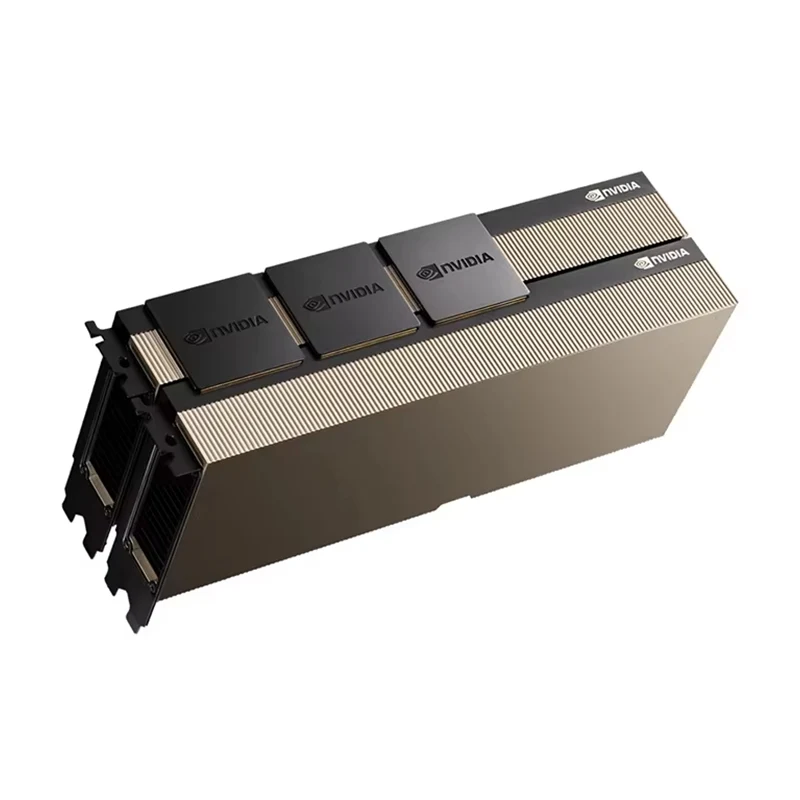
1. Understanding the A800 40G PCIE Graphics Card
As artificial intelligence, machine learning, and scientific computing continue to develop, conventional computer processors are increasingly unable to handle certain highly parallel workloads efficiently. GPU acceleration provides an effective way to process numerous calculations simultaneously, helping organizations improve computing throughput and manage more demanding applications.
The A800 40G PCIE Graphics Card is associated with NVIDIA's Ampere-generation accelerator technology. The NVIDIA A800 40GB Active GPU is a professional computing solution developed for AI, data science, high-performance computing (HPC), and engineering simulation workloads.
Unlike mainstream graphics cards primarily designed for gaming or everyday visual applications, this class of GPU focuses on computational performance, memory bandwidth, and data-intensive workloads. Its 40GB HBM2 memory capacity provides additional room for large models, datasets, and complex computational tasks.
For enterprises operating AI development platforms, research workstations, or GPU-accelerated computing environments, the A800 offers a specialized hardware foundation for demanding workloads.
Important distinction: The specifications in this article refer to the NVIDIA A800 40GB Active PCIe configuration. Buyers should verify the exact board model, cooling design, condition, and included accessories before ordering, as product variants and configurations may differ.
2. How NVIDIA Ampere Architecture Improves GPU Computing
The A800 40GB Active GPU is based on NVIDIA Ampere architecture, which introduces improvements in parallel processing and accelerated computing. Its architecture combines CUDA Cores, third-generation Tensor Cores, high-bandwidth memory, and specialized technologies to support a broad range of professional applications.
Powerful CUDA Core Processing
CUDA Cores handle general-purpose parallel computing operations. With 6,912 CUDA Cores, the A800 provides substantial parallel processing resources for numerical calculations, simulation workloads, data processing, and other GPU-accelerated applications.
For software developers and research teams, CUDA compatibility also provides access to a mature ecosystem of GPU computing tools and libraries. This can simplify the development and deployment of applications that rely on parallel processing.
Third-Generation Tensor Cores
Tensor Cores are specialized processing units designed to accelerate matrix operations commonly used in deep learning and AI workloads. The A800 includes 432 third-generation Tensor Cores, supporting accelerated computation across supported numerical formats.
These capabilities are particularly useful for neural network training, model inference, and other workloads involving large matrix calculations. Actual performance depends on software optimization, model architecture, numerical precision, and system configuration.
Multi-Instance GPU Technology
Multi-Instance GPU (MIG) allows a supported A800 GPU to be divided into isolated GPU instances. The A800 40GB configuration supports up to seven instances, each with approximately 5GB of dedicated GPU memory.
This functionality can help organizations share GPU resources among multiple users or smaller workloads. Instead of assigning the entire GPU to one application, administrators can allocate isolated computing resources according to workload requirements.
3. Key Technical Specifications of the A800 40G PCIE Graphics Card
Technical specifications provide an important starting point when evaluating a professional GPU. Memory capacity, bandwidth, processing resources, interface compatibility, and power consumption all influence how effectively a graphics accelerator can operate in a particular environment.
| Specification | A800 40GB Active |
|---|---|
| GPU Architecture | NVIDIA Ampere |
| GPU Memory | 40GB HBM2 |
| Memory Interface | 5,120-bit |
| Memory Bandwidth | 1,555.2 GB/s |
| CUDA Cores | 6,912 |
| Tensor Cores | 432 (Third Generation) |
| FP64 Performance | 9.7 TFLOPS |
| FP32 Performance | 19.5 TFLOPS |
| Peak Tensor Performance | Up to 623.8 TFLOPS |
| Multi-Instance GPU | Up to 7 instances |
| NVLink | Supported |
| NVLink Bandwidth | Up to 400 GB/s bidirectional |
| System Interface | PCIe 4.0 x16 |
| Maximum Power Consumption | 240W |
| Cooling Design | Active Cooling |
| Form Factor | Dual-Slot, Full-Height and Full-Length |
| Display Output | Not Available |
These specifications illustrate why the A800 is intended for professional computing environments rather than ordinary desktop graphics applications. Its combination of high memory bandwidth, large HBM2 capacity, and specialized processing cores is particularly valuable when applications require continuous access to substantial datasets.
One important detail is that the peak Tensor performance figure depends on the supported precision and sparsity conditions. It should not be interpreted as a guaranteed performance level for every application.
4. Why 40GB HBM2 Memory Matters for Professional Workloads
GPU memory capacity is one of the most important factors in modern computing systems. When a model or dataset exceeds available GPU memory, applications may need to divide workloads into smaller batches, transfer data between system memory and GPU memory, or use additional GPUs.
These workarounds can increase processing complexity and reduce overall efficiency.
The A800 40GB GPU uses High Bandwidth Memory 2 (HBM2), offering 40GB of dedicated GPU memory and a memory bandwidth of approximately 1.5 TB/s. This combination supports applications that frequently access large amounts of data.
Benefits of High-Capacity GPU Memory
- Larger AI models: More GPU memory can accommodate larger model components, subject to precision, architecture, and runtime overhead.
- Higher batch sizes: Additional memory may allow training or inference workloads to process more samples simultaneously.
- Large scientific datasets: Researchers can work with substantial data structures without constantly transferring information between memory spaces.
- Complex simulations: Memory-intensive engineering and scientific calculations can benefit from greater on-device storage capacity.
- Multi-workload environments: MIG provides an option to divide supported GPU resources among isolated workloads.
However, memory capacity alone does not determine application performance. GPU architecture, memory bandwidth, processor utilization, software frameworks, and storage speed also influence the final results.
5. AI Training and Inference Applications
Artificial intelligence development requires considerable computing resources, especially when training deep neural networks or deploying models that process large volumes of information.
The A800 40GB PCIE Graphics Card provides specialized Tensor Core acceleration and substantial memory capacity for supported AI workloads.
Deep Learning Model Training
During model training, a GPU performs repeated mathematical operations involving forward propagation, loss calculation, and backpropagation. These operations can be computationally intensive, particularly when working with large datasets and complex neural network architectures.
The A800's CUDA and Tensor Core resources help accelerate supported operations. Its 40GB HBM2 memory can also provide additional flexibility when configuring training batches and model components.
AI Inference and Deployment
Inference refers to using a trained model to generate predictions, classifications, recommendations, or other outputs. Businesses may use inference systems for image recognition, natural language processing, industrial inspection, and intelligent automation.
For inference environments, available GPU memory can influence how many models or requests a system can handle. The A800 also supports MIG, allowing administrators to partition the GPU for suitable independent workloads.
Generative AI Development
Generative AI applications often involve large neural networks and demanding memory requirements. GPU memory capacity, compute precision, and software compatibility are important considerations when deploying these systems.
The A800 can serve as a computing resource for supported generative AI development and inference workloads. Nevertheless, organizations should evaluate model size, quantization methods, framework support, and performance requirements before selecting a configuration.
Practical consideration: A 40GB GPU does not automatically guarantee that every 40GB-class model can run entirely in GPU memory. Operating system overhead, framework allocation, model weights, activations, and other runtime requirements must also be considered.
6. High-Performance Computing and Scientific Research
High-performance computing involves solving complex mathematical and scientific problems through large-scale computational resources. Common applications include physics simulations, molecular modeling, computational fluid dynamics, and engineering analysis.
Many HPC applications require significant parallel processing capabilities and reliable numerical computation. The A800 offers FP32 and FP64 processing capabilities alongside high-bandwidth memory, making it suitable for compatible scientific workloads.
Engineering Simulation
Engineering teams use simulation software to analyze structural behavior, fluid movement, heat transfer, and material properties. GPU acceleration can reduce processing time for supported computational tasks and help engineers evaluate more design scenarios.
Scientific Modeling
Scientific researchers frequently work with large numerical datasets and complex mathematical models. GPU-based computing can accelerate suitable calculations, particularly when software is optimized for CUDA-enabled hardware.
Research and Development
Universities, research institutions, and technology companies can integrate A800 GPUs into computing workstations or larger GPU infrastructure. This provides additional computing resources for experimentation, algorithm development, and data-intensive research.
Before deployment, users should verify whether their scientific applications support the A800 architecture and whether the required numerical precision is optimized for its hardware.
7. Data Science and Large-Scale Data Processing
Modern data science workflows involve more than simply training machine learning models. Data preparation, feature engineering, statistical analysis, model evaluation, and visualization can all require considerable computing resources.
The A800 40GB GPU can support GPU-accelerated data processing workflows when compatible software libraries are used.
Accelerating Data Pipelines
Large datasets can create processing bottlenecks when conventional CPU-based workflows become overloaded. GPU-accelerated libraries can move suitable computational tasks onto the graphics processor, increasing parallel processing capacity.
Handling Complex Analytical Workloads
Data analysts and researchers may need to process large matrices, perform repeated statistical calculations, or execute machine learning algorithms. High memory bandwidth can help applications that repeatedly access large data structures.
Supporting Enterprise Data Infrastructure
Organizations building internal AI platforms or analytics environments can use professional GPUs as part of their computing infrastructure. The appropriate configuration depends on data volume, workload concurrency, software compatibility, and future expansion plans.
8. Multi-GPU Computing and NVLink Connectivity
Some AI and HPC applications exceed the practical capacity of a single GPU. Multi-GPU configurations allow compatible workloads to distribute computing tasks across several accelerators.
The A800 supports NVIDIA NVLink, which provides a high-bandwidth interconnection between compatible GPUs.
How NVLink Supports GPU Communication
GPU communication can become a bottleneck when multiple processors need to exchange model parameters, intermediate results, or other data. NVLink provides a dedicated high-speed communication path that can improve data transfer efficiency in supported configurations.
For the A800 40GB Active GPU, the specified NVLink bandwidth is up to 400 GB/s bidirectional. When two compatible A800 40GB GPUs are connected through NVLink, their effective combined memory footprint can reach 80GB for applications that explicitly support distributed GPU memory usage.
Advantages of Multi-GPU Configurations
- Distribute supported training workloads across multiple GPUs.
- Increase aggregate GPU memory resources for compatible distributed applications.
- Improve computing throughput through parallel execution.
- Support larger research and enterprise computing environments.
It is important to understand that connecting two GPUs does not automatically create one unified memory pool for every application. Software must support the required multi-GPU communication and memory-management methods.
System-level factors such as PCIe lane allocation, motherboard compatibility, power delivery, cooling, and NVLink bridge configuration must also be evaluated.
9. System Compatibility and Installation Requirements
Choosing a professional GPU involves more than checking its processing specifications. The host workstation or server must provide the electrical, mechanical, thermal, and software conditions required for stable operation.
PCIe Slot Compatibility
The A800 40GB Active uses a PCIe 4.0 x16 interface. Before installation, verify that the motherboard or server platform provides a compatible PCIe slot with sufficient electrical lane support.
A physically compatible slot does not always guarantee full x16 bandwidth. Users should review the motherboard manual and CPU lane configuration before deployment.
Power Supply Requirements
The A800 40GB Active has a maximum power consumption of 240W. The power supply should provide sufficient capacity for the GPU, CPU, storage devices, cooling equipment, and other installed components.
Also verify the exact auxiliary power connector requirements of the specific card and use the recommended power cables. Avoid relying only on the total wattage printed on the power supply.
Cooling and Airflow
High-performance computing hardware can generate considerable heat during extended workloads. The A800 40GB Active uses an active cooling design, but the complete workstation or server still needs suitable airflow.
Check chassis clearance, fan direction, ventilation, and operating temperature under sustained load. Poor airflow can lead to thermal throttling and reduced computing stability.
Software and Driver Support
Before installation, confirm compatibility with the intended operating system, NVIDIA driver, CUDA toolkit, deep learning framework, and application software.
For enterprise deployment, it is also advisable to validate the complete software stack in a test environment before moving workloads into production.
Display limitation: The NVIDIA A800 40GB Active model does not include display outputs. If a workstation requires direct monitor connectivity, users should plan for a separate compatible display adapter or another supported display solution.
10. How to Choose the Right A800 GPU Configuration
Buying a professional GPU is a long-term infrastructure decision. The right configuration should match the actual workload rather than simply maximize the number of technical specifications.
Step 1: Define Your Computing Workload
Start by identifying the primary application. AI training, inference, scientific computing, engineering simulation, and data analytics can have different requirements for memory capacity, precision, and computing throughput.
Step 2: Evaluate Memory Requirements
Estimate the memory required by model weights, training batches, datasets, intermediate calculations, and software overhead. This helps determine whether 40GB of GPU memory is appropriate for the intended workload.
Step 3: Check Platform Compatibility
Review the host system's PCIe interface, physical clearance, power supply, cooling arrangement, and driver environment. For multi-GPU systems, check motherboard lane allocation and supported interconnection configurations.
Step 4: Verify Product Condition and Configuration
When purchasing enterprise GPUs, product verification is essential. Buyers should confirm the exact model number, memory configuration, physical condition, cooling system, serial number information, and included accessories.
Step 5: Consider Long-Term Operating Requirements
Evaluate workload growth, software maintenance, technical support, spare parts availability, and the possibility of expanding the computing platform. A suitable GPU configuration should meet both current requirements and realistic future demands.
| Evaluation Factor | What Buyers Should Check |
|---|---|
| Workload | AI, HPC, inference, or data processing |
| Memory | 40GB HBM2 capacity and application demand |
| Interface | PCIe 4.0 x16 compatibility |
| Power | 240W GPU power rating and connector requirements |
| Cooling | Active cooling and adequate chassis airflow |
| Software | Driver, CUDA, framework, and application support |
| Product Verification | Model, condition, accessories, and warranty terms |
11. Maintenance and Long-Term Reliability
Professional GPU accelerators are often deployed in environments where computing workloads run for extended periods. Proper maintenance helps reduce avoidable hardware issues and supports consistent operation.
Maintain Proper Operating Temperatures
Regularly monitor GPU temperature, utilization, fan speed, and power consumption through appropriate management tools. Investigate unexpected temperature increases or unusual fan behavior before they affect production workloads.
Keep Drivers and Software Updated
Use compatible NVIDIA drivers and supported software versions. Before updating a production environment, test driver changes against the existing applications and framework dependencies.
Inspect Hardware Periodically
Check the cooling fans, heatsink area, power connectors, PCIe connection, and surrounding airflow. Remove dust carefully using appropriate maintenance procedures and follow the equipment manufacturer's recommendations.
Monitor Workload Stability
For long-running AI and HPC tasks, monitor error logs, GPU utilization, memory usage, and system events. Early detection of abnormal behavior can help prevent unexpected interruptions and simplify troubleshooting.
With suitable system design, correct installation, and regular monitoring, professional GPU hardware can become a dependable component of an enterprise computing platform.
12. Frequently Asked Questions About the A800 40G PCIE Graphics Card
Q1: What is the A800 40G PCIE Graphics Card mainly used for?
The A800 40GB Active GPU is designed for professional computing applications, including artificial intelligence training, AI inference, data science, high-performance computing, and engineering simulation. It is intended for GPU-accelerated workloads rather than conventional gaming applications.
Q2: How much memory does the A800 40GB GPU provide?
It provides 40GB of HBM2 GPU memory, with a 5,120-bit memory interface and approximately 1,555.2 GB/s of memory bandwidth. These characteristics support memory-intensive computing workloads.
Q3: Does the A800 40GB support PCIe 4.0?
Yes. The A800 40GB Active uses a PCIe 4.0 x16 interface. The host motherboard or server should provide a compatible slot and appropriate lane allocation.
Q4: Can the A800 40GB be used for AI model training?
Yes. Its CUDA Cores, third-generation Tensor Cores, and 40GB HBM2 memory make it suitable for supported AI model training workloads. Actual performance depends on model architecture, batch size, precision, framework optimization, and system configuration.
Q5: Does the A800 40GB support NVLink?
Yes. The A800 40GB Active supports NVLink, with up to 400 GB/s bidirectional bandwidth. Compatible multi-GPU configurations can use this interconnection for high-speed GPU communication.
Q6: How many MIG instances can the A800 40GB support?
The A800 40GB Active supports up to seven Multi-Instance GPU instances, each with approximately 5GB of dedicated GPU memory. This functionality is useful for supported workloads requiring isolated GPU resources.
Q7: What power supply is required for the A800 40GB?
The GPU has a maximum power consumption of 240W. The complete system power supply must also account for the CPU, storage, motherboard, cooling devices, and other components. Check the specific card's auxiliary power connector requirements before installation.
Q8: Does the A800 40GB have display ports?
No. The A800 40GB Active model does not provide display outputs. A separate compatible display GPU is required if direct monitor connectivity is needed.
Q9: Is the A800 40GB suitable for enterprise workstations?
Yes. It is designed for professional workstation computing environments that support compatible PCIe hardware, sufficient power delivery, suitable cooling, and the required software stack.
Q10: What should buyers confirm before purchasing an A800 40GB GPU?
Buyers should verify the exact model, memory capacity, product condition, PCIe compatibility, cooling configuration, power connectors, accessories, warranty terms, and supplier support. Testing and documentation are also important for enterprise hardware procurement.
Find the Right GPU Solution for Your Computing Needs
Building an AI workstation, expanding an HPC platform, or sourcing professional NVIDIA GPU hardware requires reliable products and a supplier who understands enterprise computing requirements.
Telefly Telecommunications Equipment Co., Ltd. is committed to providing professional telecommunications and computing equipment sourcing services for business customers. Whether you are looking for an A800 40G PCIE Graphics Card or other enterprise hardware, our team can help you explore suitable product options based on your technical and procurement requirements.
Looking for product details, availability, or a quotation? Contact us today to discuss your requirements and find a suitable solution for your business.
Contact Us