

Where Is the WiFi Antenna Located in a Digital Photo Frame
2026-09-23
Understanding the internal layout of a Digital Photo Frame WiFi Antenna is essential for anyone experiencing weak wireless performance. At Qianmu, our engineers have spent years designing frames that balance compact form factors with reliable connectivity. This guide breaks down the most common antenna placements, explains why location matters, and helps you diagnose signal issues with confidence.
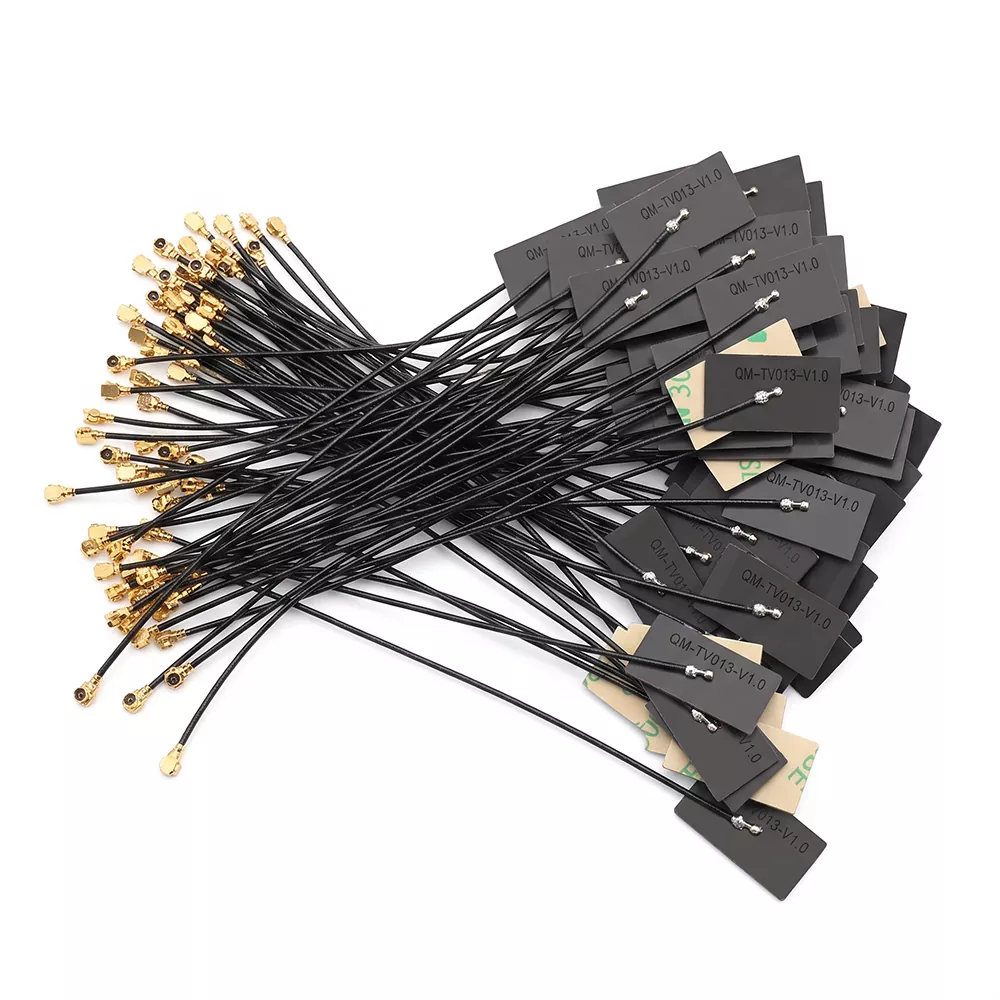
Why Antenna Placement Matters
The position of a Digital Photo Frame WiFi Antenna directly affects signal strength, upload speed, and overall stability. Metal components, LCD panels, and power boards can all interfere with wireless reception. Knowing where the antenna sits helps you position the frame for optimal performance.
Common Locations of a Digital Photo Frame WiFi Antenna
| Location | Typical Design | Signal Impact | Notes |
|---|---|---|---|
| Top inner edge | PCB trace or wire antenna | Good | Least obstructed by hands or stand |
| Right/left side frame | Flexible printed antenna | Moderate | Affected by wall proximity |
| Behind LCD panel | Chip or PCB antenna | Weak | Shielded by display and metal chassis |
| Bottom near stand | Wire dipole | Moderate | Often blocked by shelf or table |
| External rear connector | SMA or RP-SMA port | Strongest | Used in industrial or large frames |
Most consumer frames from Qianmu use a top-edge or side-mounted Digital Photo Frame WiFi Antenna to minimize obstruction. Higher-end models may include an external port for upgraded antennas.
How to Identify Your Antenna Type
-
Internal PCB antenna: A thin copper trace on the main board, usually near the top or side.
-
Wire antenna: A short black or white wire routed along the frame's inner edge.
-
Chip antenna: A small ceramic block soldered to the PCB, often near the LCD driver.
-
External antenna: A visible connector on the back or side of the frame.
If you are unsure, check your Qianmu product manual or contact our support team with your model number.
Factors That Block Your Digital Photo Frame WiFi Antenna
-
Metal photo frames or wall mounts
-
Thick walls or metal studs
-
Nearby routers, microwaves, or baby monitors
-
LCD panel shielding
-
Improper internal routing during manufacturing
Qianmu frames are tested to maintain stable 2.4GHz and 5GHz reception when placed according to our placement guide.
Digital Photo Frame WiFi Antenna FAQ
Q: Why does my Digital Photo Frame WiFi Antenna lose signal when I move the frame?
A: Moving the frame changes the antenna's orientation and proximity to reflective surfaces. Even a few inches can shift the signal path, especially if the antenna is internal and close to the LCD or metal stand.
Q: Can I replace or upgrade the Digital Photo Frame WiFi Antenna myself?
A: Only if your frame has an external connector. Internal antennas are soldered and tuned to the specific model. Replacing them without proper equipment can damage the board and void your Qianmu warranty.
Q: How do I know if my Digital Photo Frame WiFi Antenna is faulty?
A: Consistent dropouts, very slow uploads, or no networks detected while other devices work fine are common signs. Test the frame near your router first. If the issue persists, the antenna or its connection may be faulty.
Improving Reception Without Opening the Frame
-
Place the frame on an upper shelf away from metal.
-
Rotate the frame 90 degrees to change antenna polarization.
-
Keep the frame at least three feet from the router.
-
Avoid stacking other electronics directly behind the frame.
-
Use a Qianmu Wi-Fi extender if your router is far away.
For best results, position the frame so the Digital Photo Frame WiFi Antenna faces the router with minimal obstruction.
When to Contact Support
If your Qianmu frame continues to struggle with Wi-Fi after trying these steps, our technical team can help you identify whether the Digital Photo Frame WiFi Antenna needs service or replacement. We provide model-specific guidance and warranty support.
Contact us today at Qianmu support to get personalized help with your Digital Photo Frame WiFi Antenna and keep your memories uploading smoothly.