

What Makes A Series LCD Screens Reliable for Professional Repair Shops?
2026-09-01
Walk into any smartphone repair shop and ask the owner about their biggest headache. The answer will almost always be the same: inconsistent screen quality. One batch works perfectly, the next batch comes back with dead pixels or color drift. The problem is rarely the screen design itself—it is the manufacturing consistency and the matching process. In this article, we look at what repair shop owners should actually check before buying LCD Screens for Samsung devices, based on what we have learned from supplying over 200 repair chains across Southeast Asia and South America.
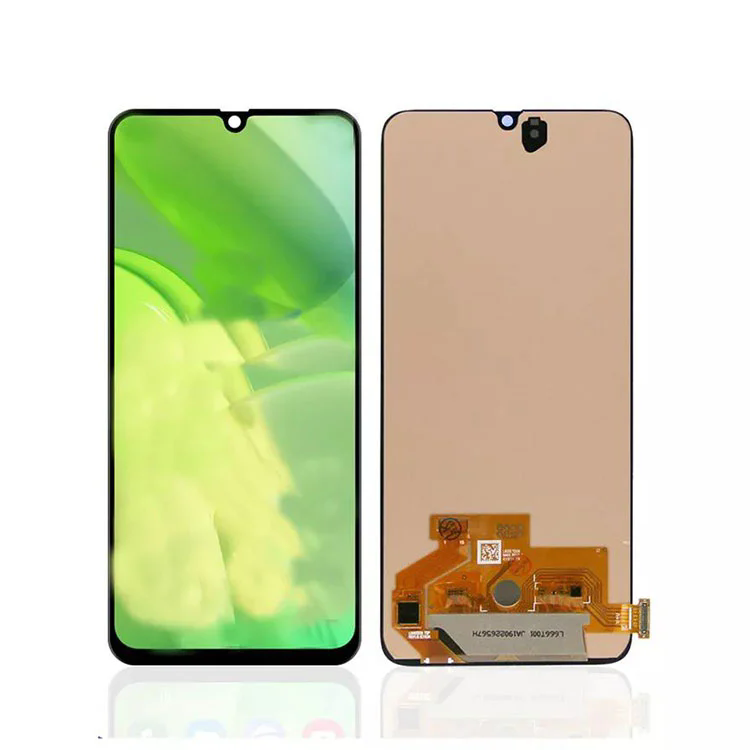
1. What Is the Real Cost of a Screen That Fails After Three Weeks?
Many repair shops focus on the upfront price of a screen. This is a mistake. The real cost is the warranty claim. When a customer comes back with a failed screen, you do not just lose the cost of the screen—you lose the labor, the goodwill, and the opportunity cost of the time spent handling the complaint. In our factory, we have seen repair shops that switched to lower cost LCD Screens for Samsung save 5 dollars per unit but increase their warranty return rate from 3 percent to 12 percent. The math is simple: for a shop doing 200 screen replacements per month, a 12 percent return rate means 24 unhappy customers. Each return costs about 30 minutes of labor and a replacement screen. That is 12 hours of lost time and 24 additional screens per month. The savings of 5 dollars per screen disappears quickly. Our Topyet Electronic Co., Ltd. tracks return rates across our customer base, and we consistently see that shops using our A Series screens have return rates below 2 percent. The table below shows the financial impact of choosing different screen grades.
| Screen grade | Unit cost (USD) | Typical return rate | Monthly returns (per 200 units) | Total monthly cost including returns |
| Premium A Series | $38 | 1.5% | 3 | $7,600 + 3 labor hours |
| Mid tier (no brand) | $33 | 8% | 16 | $6,600 + 16 labor hours |
| Budget (generic) | $29 | 14% | 28 | $5,800 + 28 labor hours |
The mid tier screen appears cheaper upfront, but the additional labor and warranty costs often exceed the savings. This is why we recommend that repair shops track their return rates by screen source, not just by total revenue.
2. How Does Color Calibration and Touch Sensitivity Affect Customer Satisfaction?
A screen that works is not the same as a screen that feels right. Customers notice color temperature differences, especially if they are used to the original Samsung display. A screen that is too blue or too yellow will trigger complaints, even if the screen is technically functional. In our factory, we use a Konica Minolta color analyzer to calibrate every batch of LCD Screens for Samsung that we produce. The target color temperature is 6500K, with a delta E of less than 2. This matches the standard Samsung calibration profile. Touch sensitivity is another frequent source of complaints. The touch sensor must be matched to the specific IC driver used in the original phone. Many lower cost screens use generic touch controllers that have different sensitivity curves, leading to missed taps or ghost touches. Our Topyet Electronic Co., Ltd. maintains a database of touch calibration parameters for each Samsung model and applies them during production. We have tested these screens on a robotic touch tester that simulates 100,000 taps, and the sensitivity remains consistent.
3. What Are the Key Technical Specifications That Determine Screen Reliability?
Repair shop owners are not always electronics engineers, but they need to know what questions to ask. The four critical specifications are: luminance stability (brightness consistency across the screen), color gamut coverage (how accurately the screen reproduces colors), touch response time, and the quality of the LCD driver IC. The table below shows the typical specifications for our A Series LCD Screens for Samsung models, compared to generic alternatives.
| Specification | A Series (Topyet) | Generic alternative | Why this matters |
| Brightness (nits) | 450 – 480 | 380 – 420 | Readability in direct sunlight |
| Color gamut (sRGB) | 98% | 85% | Accurate image reproduction |
| Touch response (ms) | < 20 | 30 – 50 | Feels responsive to user |
| LCD driver IC | Original specification match | Generic compatible | Reduces compatibility issues |
| Dead pixel tolerance | 0 allowed in active area | Up to 3 allowed | Visual quality and customer perception |
In our factory, we test every screen on a specialized jig that checks for brightness uniformity, color accuracy, and touch performance before it is packed. This is why repair shops that use our screens report fewer customer callbacks.
4. What Is the Most Common Reason Screens Fail in the First 30 Days?
Based on the return data we have collected from our customers, the most common early failure is not the LCD panel itself—it is the flexible printed circuit (FPC) connector. The FPC is the thin cable that connects the screen to the phone's motherboard. During installation, if the connector is bent too sharply or inserted at an angle, the tiny traces can crack. This is particularly common for Samsung models with edge screens, where the FPC is longer and more exposed. To reduce this risk, our factory uses a thicker copper layer on the FPC (35 microns instead of the standard 25 microns). This makes the connector more resistant to handling damage. We also include a pre installed adhesive frame that aligns the screen to the phone chassis, reducing the chance of misalignment during installation. Our Topyet has tested this on a sample of 500 screens installed by repair shops in Malaysia—the return rate was 1.2 percent, compared to 6 percent for screens without the reinforced FPC.
Frequently Asked Questions About LCD Screens for Professional Repair Shops
Final Summary
For a professional repair shop, the reliability of LCD Screens for Samsung is not just about the screen itself—it is about customer trust and operational efficiency. The true cost of a screen includes the warranty returns, the labor time, and the risk of damaging your reputation. By choosing screens with consistent color calibration, reinforced FPCs, and tested touch sensitivity, you can reduce returns and build a more profitable business. Our factory has supplied over 500,000 LCD Screens for Samsung to repair shops worldwide, with a documented return rate below 2 percent. We maintain a strict quality control process that includes color calibration, touch testing, and FPC inspection on every batch.