

What Firmware Version Does the Allen Bradley 1756-CNB Require for ControlLogix
2026-10-21
Selecting the correct firmware for a Allen Bradley 1756-CNB is one of the most overlooked steps in maintaining a stable ControlLogix architecture. Many integration engineers discover compatibility issues only after a module fails to appear in RSLogix 5000 or Studio 5000, and the root cause often traces back to a firmware mismatch between the bridge module and the controller. At Feimu, we supply and support a wide range of ControlNet bridge modules, and this guide summarizes the firmware requirements, compatibility considerations, and practical troubleshooting steps that matter most in real projects.
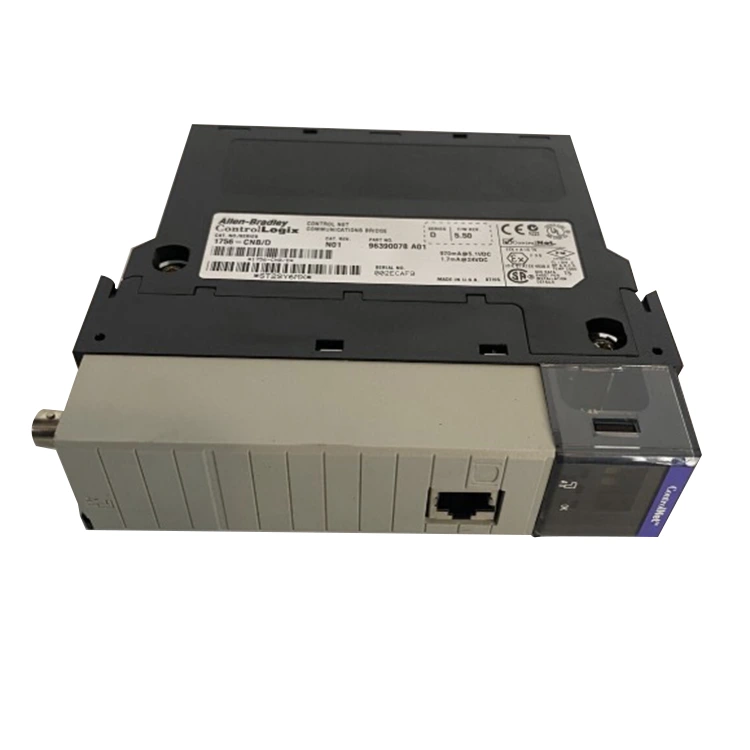
Understanding the Firmware Landscape for the Allen Bradley 1756-CNB
The Allen Bradley 1756-CNB is a ControlNet bridge module that connects a ControlLogix chassis to a ControlNet network. Its firmware is bundled with the module's flash memory and can be updated through ControlFlash or Studio 5000. The key point is that the required firmware depends on three factors: the ControlLogix controller family, the programming software version, and the ControlNet network configuration.
Firmware Compatibility Overview
| Module / Series | Recommended Firmware | Compatible Controller | Programming Software |
|---|---|---|---|
| Allen Bradley 1756-CNB Series A | 2.xx or later | 1756-L1, L55 | RSLogix 5000 v13–v20 |
| Allen Bradley 1756-CNB Series B | 3.xx or later | 1756-L6x, L7x | RSLogix 5000 v16–v20 |
| Allen Bradley 1756-CNB Series C | 4.xx or later | 1756-L7x, L8x | Studio 5000 v21+ |
| Allen Bradley 1756-CNBR (redundant) | Matched to CNB | Redundancy-capable controllers | Studio 5000 v24+ |
Feimu recommends verifying the exact series and catalog number before flashing firmware, because Series A, B, and C modules have different memory and feature sets. A firmware version that works on a Series C module may not be supported on a Series A unit.
Key Firmware Requirements and Best Practices
-
Match firmware to the controller's major revision. A Allen Bradley 1756-CNB running firmware 4.xx generally requires a controller at revision 20 or higher.
-
Use ControlFlash or Studio 5000 for updates. Older DOS-based tools are not suitable for Series C modules.
-
Check the ControlNet network schedule. Firmware updates can reset NUT (Network Update Time) parameters, so revalidate the schedule after flashing.
-
Confirm the module's node address. Firmware updates do not change the node address, but an incorrect address will prevent the module from joining the network.
-
Document the firmware baseline. Feimu advises keeping a firmware record for every Allen Bradley 1756-CNB in the chassis to simplify future maintenance.
FAQ
Q: Can I use a Allen Bradley 1756-CNB with a 1756-L8x controller?
A: Yes, but the module must be a Series C unit with firmware 4.xx or later, and the project must be built in Studio 5000 v21 or higher. Series A and B modules are not recommended for L8x controllers because they lack the memory and feature support required by newer firmware.
Q: What happens if the firmware on my Allen Bradley 1756-CNB is too old?
A: The module may fail to appear in the I/O configuration tree, produce a major fault on the controller, or drop off the ControlNet network intermittently. In most cases, updating to the firmware version recommended for your controller revision resolves the issue.
Q: How do I check the current firmware version of my Allen Bradley 1756-CNB?
A: Open the module properties in Studio 5000 or RSLogix 5000 and review the Module Info tab, or use ControlFlash to read the module's current revision. Feimu also recommends recording the series letter printed on the module's label, as it determines the maximum firmware version the hardware can accept.
Why Firmware Discipline Matters
Firmware is not a one-time task. Every controller upgrade, network expansion, or module replacement introduces a new compatibility checkpoint. Feimu supports customers with pre-flashed Allen Bradley 1756-CNB modules, firmware verification services, and replacement units that match existing chassis configurations, reducing downtime during maintenance windows.
If you need help confirming the correct firmware for your Allen Bradley 1756-CNB, or want to source a tested replacement module, contact Feimu today for a technical consultation and a fast quotation.