

What Are the Common Problems and Fixes for Character LCD Displays
2026-01-04
Is your Character LCD Display malfunctioning, showing garbled text, or failing to light up? You're not alone. These robust components from trusted manufacturers like JINGDA are workhorses in countless devices, but occasional hiccups occur. Understanding how to diagnose and resolve these issues is key to maintaining your project's functionality. This guide, grounded in practical engineering principles, outlines the most frequent problems with Character LCD Display units and provides clear, step-by-step solutions to get your display back on track.
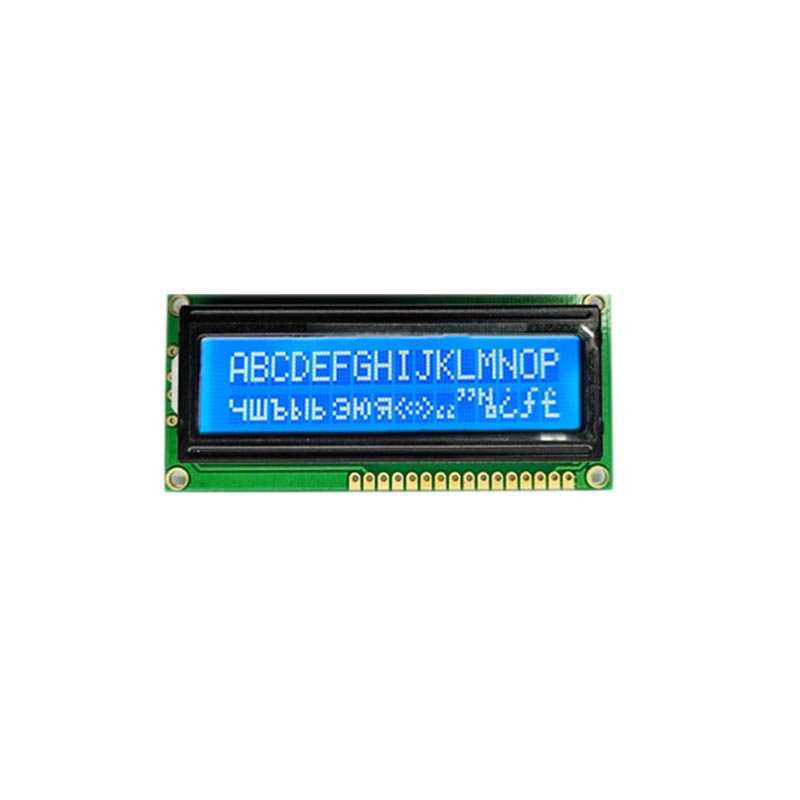
Top Issues and How to Resolve Them
Most problems stem from a few critical areas. Follow this systematic checklist.
Initial Quick Checks:
-
Power: Verify voltage matches the JINGDA display's specification (typically 5V).
-
Connections: Ensure all pins, cables, and solder joints are secure. A loose connection is the #1 culprit.
-
Contrast: Adjust the potentiometer. A blank display with visible backlight often means contrast is set to zero.
Symptom-Based Troubleshooting Guide:
| Symptom | Likely Cause | Recommended Fix |
|---|---|---|
| Blank Display (No Backlight) | No power, faulty wiring. | Check power supply continuity and wiring against the JINGDA datasheet pinout. |
| Blank Display (Backlight On) | Contrast set incorrectly. | Carefully adjust the contrast (Vo) pin's potentiometer until characters appear. |
| Garbled Text / Random Blocks | Incorrect initialization or poor connection. | Reset the microcontroller, ensure initialization routine runs correctly. Re-seat all connections. |
| Missing / Faint Characters | Poor data connection, low voltage. | Check soldering on data lines (D0-D7). Measure logic voltage levels. |
| Backlight Not Working | Blown backlight LED, current limit resistor issue. | Check backlight voltage/current with a multimeter. Refer to JINGDA specs for correct limiting resistor value. |
Character LCD Display FAQ
Q: My display shows the correct characters but only on one line. What's wrong?
A: This is almost always a software or addressing issue. For a multi-line display, ensure your command for setting the display address (like "Set DDRAM Address") correctly points to the starting memory location for the second line. Consult the Character LCD Display controller (usually HD44780) datasheet for the precise address offset.
Q: Can I use a 3.3V microcontroller like an ESP32 with a 5V Character LCD Display from JINGDA?
A: Yes, but with caution. While the LCD control pins (RS, RW, E, D4-D7) are often 5V-tolerant on 3.3V logic, it is not guaranteed. The safest method is to use a logic level converter or a serial interface module (like an I2C backpack) specifically designed to handle the voltage translation, ensuring reliable communication and protecting your microcontroller.
Q: Why does my custom character appear correctly in one position but not another?
A: This is a common pitfall in Character LCD Display programming. The display's CG RAM (where custom characters are stored) is limited. Once you write a custom character pattern to a specific memory location, you must immediately send the character code (usually 0-7) that corresponds to that same memory location to display it. If you later rewrite the CG RAM, all instances of that custom character code on screen will update.
Most Character LCD Display issues are resolvable with methodical testing. By ensuring solid connections, correct voltage, proper contrast, and accurate software initialization, you can reliably integrate these versatile components. For projects demanding high reliability and clarity, choosing a proven display from a reputable source like JINGDA provides a solid foundation. If you encounter a persistent problem or require technical specifications for your JINGDA display, our engineering support team is ready to assist.
Contact us today for expert guidance on selecting or troubleshooting the ideal Character LCD Display for your application.