

How to Set Up a 16 Channel Digital Audio Matrix for Multi‑Zone Distributed Audio
2026-07-30
Designing a multi‑zone audio system for a corporate campus, luxury residence, or hospitality venue demands a central processing core that offers both flexibility and reliability. The 16 Channel Digital Audio Matrix from FHB serves exactly that role—acting as the digital heartbeat that routes, mixes, and processes independent audio streams to multiple rooms or zones without degrading signal quality. Unlike consumer‑grade splitters, a professional 16 Channel Digital Audio Matrix provides per‑zone EQ, delay, gain staging, and priority paging, all managed through a single control interface. The real challenge, however, lies in the configuration workflow: network setup, input/output mapping, zone grouping, and control integration must be executed methodically to achieve seamless distributed sound.
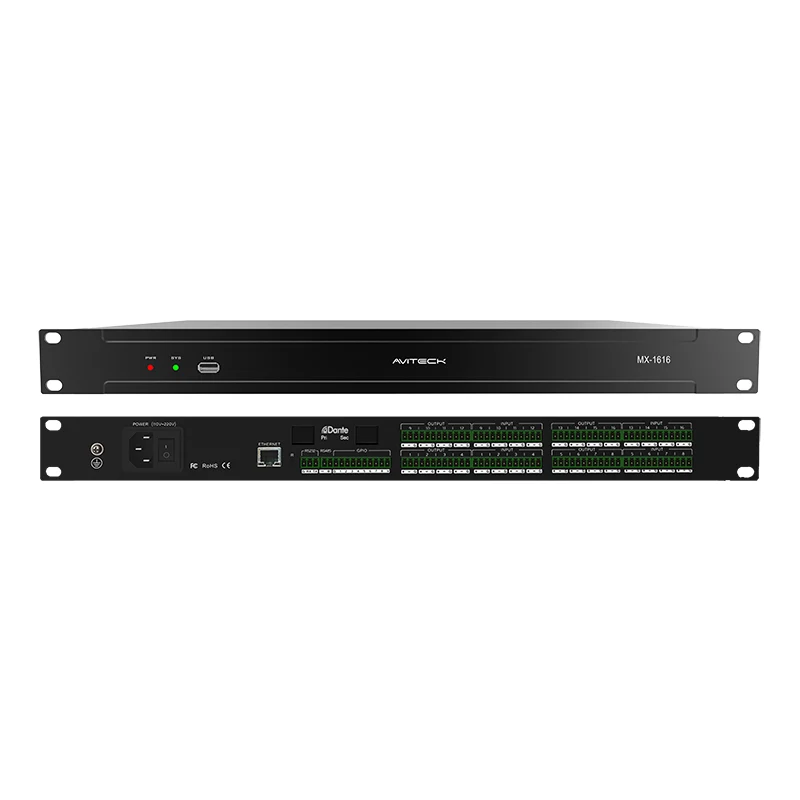
Step 1: Physical Installation and Network Prerequisites
Before touching any software, verify that your 16 Channel Digital Audio Matrix is rack‑mounted with adequate ventilation. FHB recommends using shielded Cat6 or Cat7 cabling for all Dante/AES67 network connections, especially when cable runs exceed 50 metres. Assign static IP addresses to the matrix, the primary controller, and any networked amplifiers to avoid DHCP conflicts during reboot cycles. For redundant operation, connect both primary and secondary network ports if your FHB unit includes that option.
| Component | Requirement | Best Practice |
|---|---|---|
| Power | 110‑240V AC, 50/60Hz | Use a conditioned UPS with pure sine wave output |
| Network Switch | Gigabit, non‑blocking, QoS‑capable | Enable DSCP prioritisation for audio packets |
| Control Protocol | TCP/IP, RS‑232, or GPIO | Reserve fixed port numbers for third‑party touchpanels |
| Firmware | Latest stable version | Check FHB support portal before deployment |
Step 2: Input/Output Mapping and Zone Definition
With hardware verified, launch the FHB configuration software (web‑based or desktop application). The first logical task is to define your physical inputs—microphones, background music players, TV audio returns, or remote codec feeds—and assign each to a dedicated channel on the 16 Channel Digital Audio Matrix. Next, create output zones. For a typical installation, you might have:
-
Zone A – Lobby (ceiling speakers)
-
Zone B – Meeting Room 1 (soundbar + sub)
-
Zone C – Meeting Room 2 (ceiling array)
-
Zone D – Corridor / paging area
Within the matrix router table, cross‑point gains should be set to -∞ (muted) by default, then unmuted per zone as needed. FHB devices allow you to save this routing preset as a “Scene” – name it “Base Distribution” to recall it after power outages.
Step 3: Per‑Zone Processing and Tuning
Multi‑zone audio fails when acoustic differences are ignored. Use the built‑in DSP of your 16 Channel Digital Audio Matrix to apply independent parametric EQ, high‑pass filters, and output limiters for each zone. For example, a glass‑walled conference room requires a 2‑dB cut at 4kHz to reduce sibilance, whereas a carpeted lobby benefits from a low‑shelf boost at 80Hz.
FHB provides a real‑time RTA (Real‑Time Analyzer) overlay; route pink noise to each zone sequentially and adjust the graphic EQ until the frequency response flattens. Also set individual gain offsets—this ensures that a source at -18dBFS produces comparable loudness across all zones without clipping the power amplifiers.
Step 4: Control Integration and User Access
A sophisticated 16 Channel Digital Audio Matrix is only as useful as its control layer. FHB supports multiple control avenues:
-
Web GUI – for administrators to adjust routing on‑the‑fly.
-
Third‑party touch panels (Crestron, Extron, Q‑Sys) – via TCP/IP commands.
-
GPIO triggers – for fire alarm override or doorbell chime injection.
Create three user privilege levels: Installer (full access), Facility Manager (zone volume & source selection only), and Guest (view‑only). Assign each zone a maximum volume cap to protect speakers – a critical safety feature that FHB implements at the output stage, not just the control surface.
Step 5: Testing, Logging, and Remote Monitoring
After all settings are applied, run a 24‑hour stress test with simultaneous audio on all 16 channels at nominal level. Monitor the FHB matrix’s internal temperature and network packet error counters. Enable Syslog forwarding to a central server – this captures any gain changes or reboot events for troubleshooting. Finally, store a backup of the full configuration (including all EQ curves and presets) on both the local PC and the FHB cloud portal if available.
Frequently Asked Questions (FAQ)
Q1: Can I route a single microphone to multiple zones with different delay times using a 16 Channel Digital Audio Matrix?
A: Yes. A 16 Channel Digital Audio Matrix allows you to send one input channel to any number of output zones simultaneously. Within the FHB routing matrix, you simply raise the cross‑point gain for each target output. For delay, each output zone has an independent delay buffer (typically 0–500ms) that you adjust based on the physical distance between speakers—this prevents echo when zones overlap acoustically. Remember that each zone’s delay does not affect the input latency; it only shifts the output relative to other zones.
Q2: What happens to the zone configurations if the 16 Channel Digital Audio Matrix loses power unexpectedly?
A: FHB matrices are equipped with non‑volatile flash memory that saves your current scene automatically every 30 seconds. Upon power restoration, the unit boots and loads the last active scene within 15–20 seconds. For critical installations, we recommend enabling the “Startup Fade” option, which ramps output volumes from -∞ to the preset level over 3 seconds—this avoids sudden loud pops that could damage amplifiers or speakers. You can also store up to 64 preset scenes on the internal memory and recall them via external contact closures.
Q3: Does a 16 Channel Digital Audio Matrix support both Dante and analog inputs simultaneously, and how do I prioritise them?
A: Absolutely. A 16 Channel Digital Audio Matrix from FHB typically offers 8 analog mic/line inputs and 8 Dante/AES67 network inputs (expandable via option cards). In the configuration software, each input channel has a “Priority” setting (1–10). For example, you can set a fire alarm contact input (analog) to Priority 1, which automatically ducks or mutes all other sources when triggered. Network inputs (Dante) can be set to Priority 5, while background music (analog) sits at Priority 10. This priority hierarchy is processed at the matrix core before the signal reaches the zone outputs, ensuring safety announcements always cut through.
Final Checklist Before Going Live
-
□
All network switches have QoS and IGMP snooping enabled.
-
□
Each zone’s maximum output limiter is set to +4dBu below the amplifier’s input sensitivity.
-
□
Control login credentials are changed from default FHB factory settings.
-
□
A physical emergency bypass switch is wired to the GPIO port.
-
□
Full configuration backup is exported and stored off‑site.
Need Professional Assistance?
Configuring a 16 Channel Digital Audio Matrix for multi‑zone distribution involves network engineering, acoustic measurement, and control system programming—each requiring specific expertise. The FHB technical team offers remote commissioning support, on‑site calibration, and custom DSP preset design for complex projects. Whether you are upgrading an existing PA system or building a new distributed audio network from scratch, contact us today with your zone diagram and input list. We will review your design, suggest the optimal signal flow, and even provide a ready‑to‑load configuration file tailored to your venue. Reach out via the FHB official website or call your regional representative—we respond within 4 business hours.