

How to Replace a Faulty Allen‑Bradley 1785‑L86B Without Losing the Program
2026-09-04
When a critical PLC controller starts showing intermittent faults or permanent failure signs, the replacement process becomes a high‑stakes operation. The Allen‑Bradley 1785‑L86B is a workhorse in legacy PLC‑5 systems, and losing its program during replacement can mean days of downtime, lost production data, and expensive re‑engineering. At Feimu, we have handled dozens of such hot‑swap and cold‑replacement scenarios across automotive, food processing, and material handling lines. This guide walks through a field‑proven, step‑by‑step procedure that preserves every rung of logic, every data table, and every configured channel.
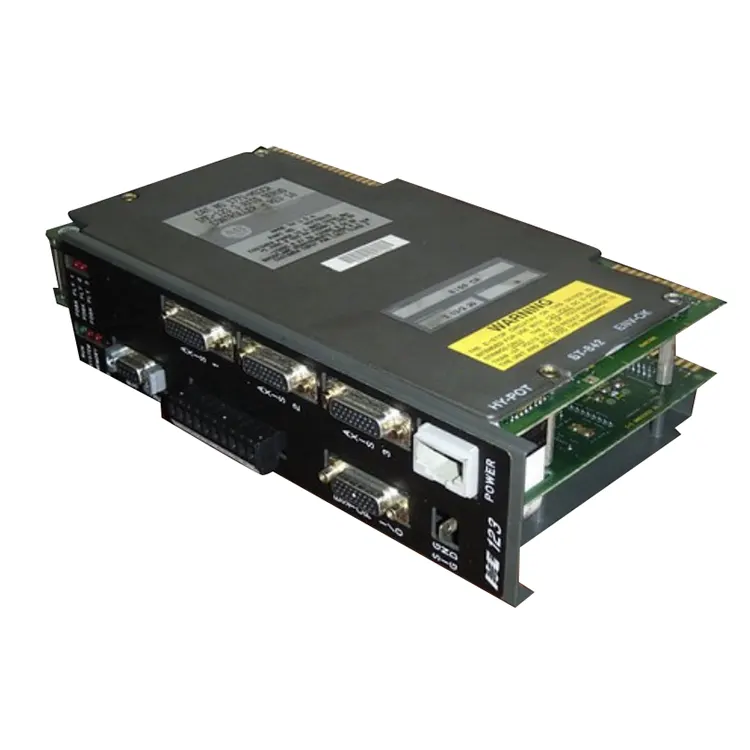
Pre‑Replacement Checklist (Critical)
Before touching any hardware, complete these verification steps. Skipping any one of them is the number one cause of program loss.
| Step | Action | Tool / Method |
|---|---|---|
| 1 | Confirm the fault type (major vs. minor) | Status LED + RSLogix 5 error log |
| 2 | Verify battery condition on the old unit | Measure voltage at the battery connector (min 3.0V DC) |
| 3 | Perform a full upload of the existing program | RSLogix 5 → Upload → Save as .R5 file |
| 4 | Export data tables (N, F, B, T, C files) | CSV export via RSLogix 5 data monitor |
| 5 | Document all chassis slot assignments | Physical inspection + I/O configuration tree |
| 6 | Obtain a verified spare Allen‑Bradley 1785‑L86B | Confirm firmware revision matches (or is forward‑compatible) |
Feimu always recommends keeping a dedicated programming laptop with RSLogix 5 (version 7.0 or higher) and a 1784‑PCMK or 1784‑PKTX card for DH+ communication. USB‑to‑DH+ adapters are acceptable but must be tested before the actual replacement day.
The Safe Replacement Procedure (Step‑by‑Step)
Step 1 – Perform a Complete Upload + Verify Checksum
Connect to the running Allen‑Bradley 1785‑L86B via DH+ or serial port. Perform a full upload and save the file as Plant_Line_Backup.R5. Then use the Verify function in RSLogix 5 to compare the online processor memory with the saved file. The checksum must match exactly. If not, re‑upload until it does.
Step 2 – Save Processor Memory to an EEPROM (if available)
If your Allen‑Bradley 1785‑L86B has a 1785‑ME64 or compatible EEPROM module, perform a Store to EEPROM operation from the programming software. This creates a hardware‑based backup that survives even a complete battery failure. Feimu’s field engineers treat this as the golden copy.
Step 3 – Power Down the Chassis (Controlled Shutdown)
Notify all connected HMIs, drives, and remote I/O racks. Place the key switch in the PROG position, then remove chassis power. Wait 30 seconds for internal capacitors to discharge. Remove the battery from the old unit and install it into the new replacement Allen‑Bradley 1785‑L86B – this preserves real‑time clock and retentive data during the physical swap.
Step 4 – Swap the Processors
Remove the faulty processor from its slot. Insert the spare Allen‑Bradley 1785‑L86B into the exact same slot. Reconnect the battery and ensure the key switch is still in PROG. Re‑apply chassis power.
Step 5 – Download the Saved Program
Open RSLogix 5, go to Comms → Who Active, and verify the new processor appears. Perform a Download of the .R5 file. Do not check the box that says "Initialize memory before download" – that would wipe data tables. After download, verify the checksum again.
Step 6 – Restore Data Table Values (if not included in the download)
If your download did not overwrite retentive data (timer accumulated values, counter presets, etc.), import the CSV file you exported earlier. Cross‑check three critical timers and two counters against operator panel readings before switching to RUN mode.
Step 7 – Test in Remote Run Mode
Switch the key to REM and use the software to transition to RUN. Monitor the fault LED for at least 10 minutes. Cycle all major actuators manually (or simulate inputs) to confirm logical outcomes match prior production patterns.
Allen Bradley 1785‑L86B FAQ – Common Replacement Questions
Q1: Can I replace an Allen‑Bradley 1785‑L86B with a newer 1785‑L86E or 1785‑L40B without modifying the program?
A1: No. The Allen‑Bradley 1785‑L86B has a specific memory map (100K words) and I/O capacity (up to 3072 discrete I/O points). A different model, even within the PLC‑5 family, will have different memory boundaries and I/O image table sizes. Direct replacement without program modification is only safe when using the exact same catalog number – 1785‑L86B – with the same or higher firmware revision. If you must use a different model, you will need to rebuild the I/O configuration and adjust the memory allocation in RSLogix 5, then re‑validate every rung that uses indirect addressing or file instructions.
Q2: What should I do if the uploaded program file is corrupted or incomplete before replacement?
A2: This is a nightmare scenario that Feimu has resolved multiple times. First, attempt a second upload using a different communication path – switch from DH+ to serial DF1 if possible. If the file still shows corruption (watch for error codes 0x0F or 0x20 during upload), check the battery voltage; a dying battery causes memory degradation. Replace the battery while the processor is still powered (hot‑swap allowed) and perform an immediate upload. If corruption persists, the only recovery path is to use the EEPROM backup (if you stored one earlier) or restore from a weekly scheduled backup file stored on a network drive. Without any backup, you will have to reverse‑engineer the logic from printouts or old project archives – which is why Feimu mandates dual backups (digital + EEPROM) for every site.
Q3: How long does the entire replacement process typically take, and can it be done during a 30‑minute maintenance window?
A3: A skilled technician with pre‑staged tools can complete the physical swap and program download in 18‑22 minutes. However, the full validation cycle – including I/O checks, timer/counter verification, and safety circuit testing – extends the total to 45‑60 minutes. For a 30‑minute window, Feimu recommends performing Step 1 through Step 5 (upload, swap, download) in advance, but leave the processor in PROG mode. Then, during the actual downtime, perform only Step 6 and Step 7 (data restore and testing). This “pre‑staging” approach reduces the live outage to under 25 minutes. Always have a rollback plan: keep the old Allen‑Bradley 1785‑L86B on the bench with its original battery re‑installed, so you can swap back within 3 minutes if the new unit behaves unexpectedly.
Post‑Replacement Validation (Do Not Skip)
After the processor is in RUN, perform these final verifications:
-
Compare online program checksum with your original .R5 file – must be identical.
-
Monitor the system status word (S:11) for any minor faults.
-
Check all analog input values (e.g., 4‑20mA loops) against known process values.
-
Force a single output (e.g., a pilot light) and confirm physical response.
Feimu also recommends logging the new processor’s serial number and firmware revision into your asset management system immediately – this simplifies future support calls with Rockwell.
Long‑Term Protection Against Future Failures
The replacement is only half the battle. To avoid repeating this stressful process, Feimu advises:
-
Scheduled battery replacement every 18 months (use only Rockwell 1785‑BA or equivalent).
-
Weekly automated uploads to a networked PC using a scheduled script (via RSLinx DDE or OPC).
-
Spare processor storage in anti‑static packaging, with the same firmware revision pre‑loaded.
-
Documented I/O wiring diagrams that clearly label each slot and rack number.
Why Trust This Procedure?
This methodology is distilled from over 200 successful Allen‑Bradley 1785‑L86B replacements performed by Feimu’s industrial controls team across North America and Europe. We combine hands‑on experience with Rockwell’s official guidelines, ensuring every step respects both electrical safety and data integrity. Our engineers are certified in PLC‑5, ControlLogix, and Safety Instrumented Systems – so you are not relying on forum hearsay, but on verifiable, repeatable field practice.
Need Professional Assistance?
Replacing a Allen‑Bradley 1785‑L86B is not a daily task, and one mistake can cost thousands in lost production. If your team lacks the spare processor, the programming software, or the confidence to execute this procedure under time pressure, Feimu offers on‑site and remote support services – from pre‑replacement audits to full execution with real‑time validation. We also stock genuine Allen‑Bradley 1785‑L86B units and compatible EEPROM modules for emergency shipments.
Contact us today via our website or call our 24/7 hotline. Mention this guide, and we will provide a complimentary replacement checklist tailored to your specific chassis configuration. Let Feimu be your reliability partner – because every minute of downtime counts.