

How to Properly Configure a Foxboro Module for Process Control
2026-01-30
Configuring a Foxboro Module correctly is fundamental to achieving reliable and precise process control in industrial automation systems. A proper setup ensures optimal performance, minimizes downtime, and enhances system longevity. At Yueyang Tongtu, we specialize in providing expert guidance and solutions for configuring and integrating these critical components into your control architecture. This guide outlines the essential steps for a successful configuration.
The configuration process involves several key phases, from initial planning to final validation.
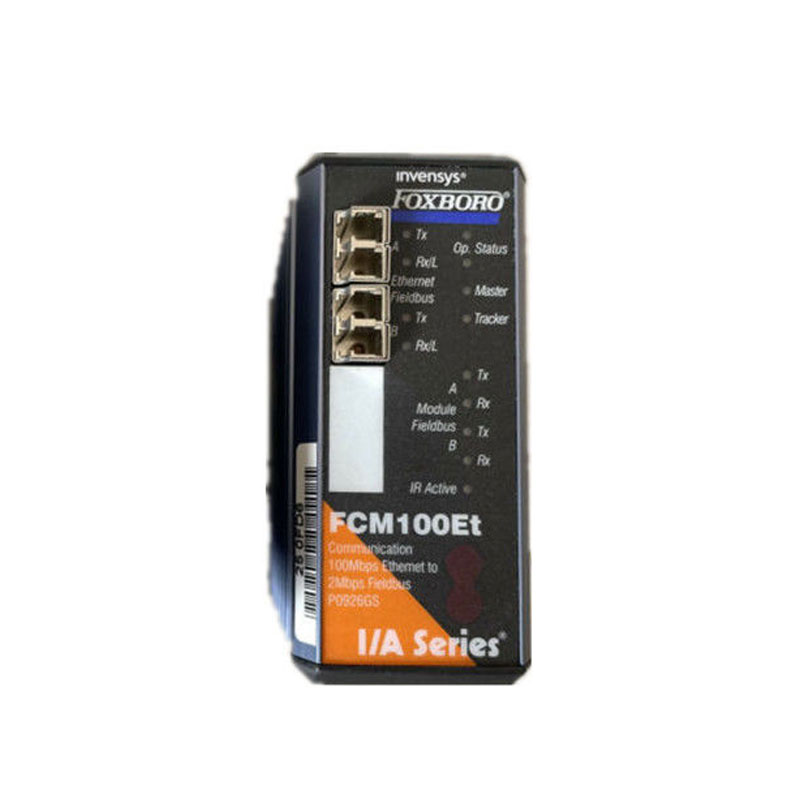
Key Configuration Steps:
-
System Planning and Review: Analyze the process control loop requirements and verify the specific Foxboro Module model (e.g., I/A Series) compatibility with your system.
-
Hardware Installation: Securely install the module in the designated slot, ensuring all power connections are offline and all connectors are firmly seated.
-
Software Configuration: Using the appropriate engineering software (e.g., Foxboro Control Core), define the module's parameters. This includes:
-
Tag assignment and description.
-
I/O point scaling (engineering units).
-
Alarm and trip point settings.
-
Communication bus address assignment.
-
-
Loop Testing and Validation: Before connecting to the live process, perform a simulation to verify input/output responses and alarm functionalities.
Common Configuration Parameters Table:
| Parameter Category | Typical Setting | Purpose |
|---|---|---|
| Signal Type | 4-20mA, Thermocouple, RTD | Defines the physical input/output signal standard. |
| Engineering Range | e.g., 0-100 °C, 0-10 Bar | Scales the raw signal to meaningful process values. |
| Alarm High | User-defined setpoint (e.g., 90% of range) | Triggers an alert when the process variable exceeds a safe limit. |
| Filter Time Constant | Adjustable (e.g., 1-5 seconds) | Smoothens signal noise for stable control. |
Foxboro Module FAQ
Q: What is the first thing to check if a newly configured Foxboro Module is not communicating?
A: First, verify the module's bus address and communication jumper settings against the system design. Incorrect addressing is a common cause of communication failure. Then, confirm the health and termination of the control network.
Q: How often should the configuration of a Foxboro Module be backed up?
A: A backup should be created immediately after the initial successful configuration and after any modification. Yueyang Tongtu recommends establishing a routine to back up all controller and module configurations quarterly or before any major system change.
Q: Can a single Foxboro Module handle different types of I/O signals simultaneously?
A: No, a single module is typically designed for a specific signal type (e.g., analog input, digital output). The system architecture uses a mix of specialized modules to handle different signals, which are then integrated by the controller.
Properly configuring your Foxboro Module is not just a one-time task but a critical investment in your system's operational integrity. Misconfiguration can lead to process inefficiencies, data inaccuracies, and unplanned shutdowns. For complex systems or to ensure optimal performance, partnering with an experienced provider is highly advisable.
At Yueyang Tongtu, our certified engineers possess deep expertise in Foxboro Module configuration and integration. We can assist you with everything from initial setup and troubleshooting to system optimization and legacy upgrades. Contact us today to discuss your specific process control requirements and ensure your automation system is configured for peak reliability and performance.