

How to configure the HDMI and DP and VGA and Type C To LVDS EDP Interface AD Board for different resolutions
2026-11-20
Widely used in industrial displays, embedded kiosks, and custom monitor retrofitting projects, the HDMI and DP and VGA and Type C To LVDS EDP Interface AD Board from SKY-TDM delivers multi-source signal conversion that eliminates compatibility gaps between modern video outputs and legacy LVDS/EDP display panels. Proper configuration ensures stable image output, no frame dropout, and full utilization of the connected panel’s native performance.
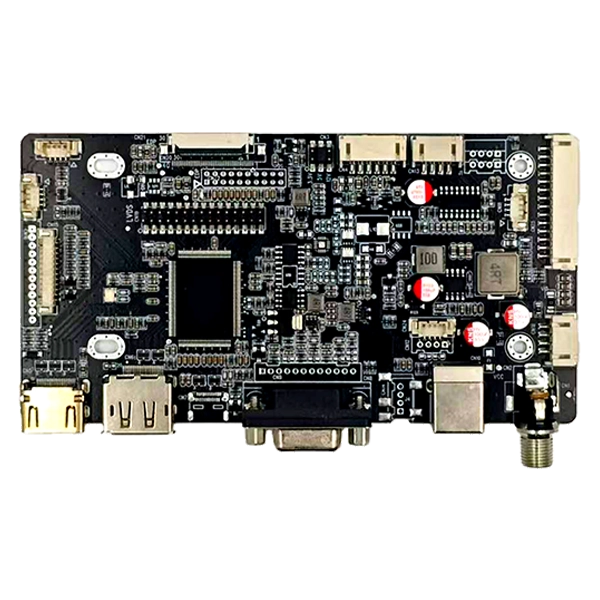
Step-by-Step Resolution Configuration Workflow
The SKY-TDM configuration system is designed to avoid complex hardware modifications, allowing users to adapt the board to nearly any common display resolution through simple guided steps:
- Confirm the target panel’s native resolution, bit depth, and signal protocol (LVDS or EDP) from the official panel datasheet
- Connect the HDMI and DP and VGA and Type C To LVDS EDP Interface AD Board to a computer via the dedicated USB debug port
- Open the SKY-TDM configuration utility, select the corresponding panel model from the pre-loaded resolution library
- Adjust parameters including pixel clock, horizontal/vertical porch, and polarity to match the panel’s electrical requirements
- Save the configuration to the board’s built-in flash memory, then perform a full power cycle to validate the new settings
Common Resolution Parameter Reference Table
| Native Resolution | Supported Protocol | Recommended Pixel Clock | Typical Application |
|---|---|---|---|
| 1280 x 720 60Hz | LVDS / EDP | 74.25 MHz | Industrial control panels |
| 1920 x 1080 60Hz | LVDS / EDP | 148.5 MHz | Commercial kiosk displays |
| 2560 x 1440 60Hz | EDP Only | 241.5 MHz | Medical imaging screens |
| 3840 x 2160 60Hz | EDP Only | 594 MHz | High-resolution gaming panels |
HDMI and DP and VGA and Type C To LVDS EDP Interface AD Board FAQ
-
What happens if I configure a resolution that does not match the connected panel’s native specification?
Mismatched resolution settings will cause distorted images, flickering screens, or even no output at all. In severe cases, incorrect pixel clock parameters may overstress the panel’s driver IC and shorten its operational lifespan. -
Can the HDMI and DP and VGA and Type C To LVDS EDP Interface AD Board automatically identify resolution from the video source without manual configuration?
For standard consumer resolutions within the board’s pre-loaded library, automatic signal detection and matching works reliably. For non-standard industrial panel resolutions, you will need to manually input the exact timing parameters to achieve stable output. -
Does SKY-TDM provide custom firmware for the HDMI and DP and VGA and Type C To LVDS EDP Interface AD Board for rare or legacy panel models?
Yes, our in-house firmware team can create tailored configuration files for most rare legacy panels, eliminating the need for users to manually debug complex timing parameters and cutting deployment time for special projects significantly.
If you need pre-tested firmware files, technical support for custom resolution configuration, or bulk customization services for your display integration project, contact us today. The SKY-TDM engineering team will provide one-on-one technical guidance to help you complete stable, high-performance deployment of your HDMI and DP and VGA and Type C To LVDS EDP Interface AD Board in the shortest possible time.