

How to Choose the Best M.2 NVMe SSD for Faster Performance and Reliable Storage?
2026-06-03
Modern computers demand speed, efficiency, and reliability. Whether you are building a gaming PC, upgrading a workstation, or improving business productivity, choosing the right M.2 NVMe SSD can dramatically impact system responsiveness and overall performance. Compared with traditional SATA SSDs and mechanical hard drives, M.2 NVMe SSDs deliver significantly faster read and write speeds, lower latency, and enhanced multitasking capabilities.
This guide explains everything you need to know about selecting the ideal M.2 NVMe SSD, including key specifications, compatibility considerations, performance expectations, and common purchasing mistakes. By the end of this article, you will have a clear understanding of how to make an informed storage investment.
Article Summary
An M.2 NVMe SSD is one of the most effective upgrades for improving computer speed and storage efficiency. However, selecting the right model requires understanding factors such as PCIe generation, storage capacity, endurance ratings, thermal management, and intended usage scenarios. This guide provides practical advice to help buyers choose a dependable SSD that balances performance, reliability, and value.
Table of Contents
- What Is an M.2 NVMe SSD?
- Why Choose an M.2 NVMe SSD?
- Key Factors to Consider Before Buying
- M.2 NVMe SSD vs SATA SSD Comparison
- How to Select the Right Capacity
- Understanding Performance Specifications
- The Importance of Cooling and Thermal Control
- Best Applications for M.2 NVMe SSDs
- Common Buying Mistakes to Avoid
- Why Consider GUDGA M.2 NVMe SSD Solutions?
- Frequently Asked Questions
What Is an M.2 NVMe SSD?
An M.2 NVMe SSD is a solid-state storage device that uses the compact M.2 form factor and communicates through the NVMe (Non-Volatile Memory Express) protocol over the PCIe interface.
Unlike traditional hard drives that rely on spinning disks, NVMe SSDs use flash memory chips, allowing data to be accessed almost instantly. The M.2 form factor also eliminates bulky cables, making installation cleaner and more efficient.
These drives are commonly used in:
- Gaming desktops
- High-performance laptops
- Professional workstations
- Content creation systems
- Enterprise computing environments
- Industrial embedded systems
Why Choose an M.2 NVMe SSD?
Many users upgrade to an M.2 NVMe SSD because of the noticeable performance improvements it delivers.
| Feature | M.2 NVMe SSD | Traditional HDD |
|---|---|---|
| Boot Speed | Extremely Fast | Slow |
| Application Loading | Near Instant | Noticeable Delay |
| Noise Level | Silent | Mechanical Noise |
| Power Consumption | Low | Higher |
| Shock Resistance | Excellent | Limited |
| Physical Size | Compact | Large |
Key advantages include:
- Faster operating system startup
- Reduced application loading times
- Smoother multitasking
- Improved gaming experience
- Enhanced workflow efficiency
- Better energy efficiency for portable devices
Key Factors to Consider Before Buying
Selecting an SSD based solely on advertised speed can lead to disappointment. Consider the following factors before making a purchase.
1. PCIe Generation
PCIe generations significantly influence SSD performance.
| PCIe Version | Typical Sequential Read Speed |
|---|---|
| PCIe Gen3 | Up to 3,500 MB/s |
| PCIe Gen4 | Up to 7,500 MB/s |
| PCIe Gen5 | 10,000+ MB/s |
Always verify motherboard compatibility before purchasing a higher-generation SSD.
2. Storage Capacity
The ideal capacity depends on your workload and storage requirements.
- 250GB–500GB: Basic office and everyday tasks
- 1TB: Most users and gamers
- 2TB: Content creators and professionals
- 4TB+: Enterprise and large-scale storage applications
3. Endurance Rating
SSD endurance is typically measured in TBW (Terabytes Written). A higher TBW rating generally indicates better long-term durability.
Users handling large volumes of video editing, data processing, or frequent file transfers should prioritize higher endurance models.
4. NAND Flash Technology
Different NAND technologies affect performance and lifespan.
- SLC: Highest performance and durability
- MLC: Excellent balance of endurance and speed
- TLC: Most common for consumer SSDs
- QLC: Higher storage density with lower endurance
M.2 NVMe SSD vs SATA SSD Comparison
Many buyers wonder whether upgrading from SATA SSD to NVMe SSD is worthwhile.
| Category | M.2 NVMe SSD | SATA SSD |
|---|---|---|
| Interface | PCIe | SATA |
| Maximum Speed | Much Higher | Limited by SATA Bus |
| Latency | Very Low | Low |
| Cable Requirement | No | Yes |
| Best For | High Performance Systems | Budget Upgrades |
For gaming, professional workloads, and productivity-focused systems, NVMe SSDs typically offer a superior user experience.
How to Select the Right Capacity
One of the most common mistakes is underestimating future storage needs.
Consider the following examples:
- Office users may comfortably operate with 500GB.
- Gamers often require 1TB or more due to increasingly large game files.
- Video editors frequently benefit from 2TB to 4TB storage capacities.
- Enterprise users may require multiple high-capacity drives for performance and redundancy.
Purchasing slightly more capacity than your immediate requirement often provides better long-term value.
Understanding Performance Specifications
Many SSD buyers focus only on sequential read speed, but overall performance depends on multiple specifications.
- Sequential Read Speed: Large file reading performance.
- Sequential Write Speed: Large file writing performance.
- Random Read IOPS: Small file access efficiency.
- Random Write IOPS: Multitasking responsiveness.
- DRAM Cache: Improves sustained performance.
- Controller Quality: Influences stability and efficiency.
A balanced SSD design often delivers better real-world performance than a model focusing solely on maximum benchmark speeds.
The Importance of Cooling and Thermal Control
High-performance NVMe SSDs can generate substantial heat during intensive workloads.
When temperatures rise excessively, thermal throttling may occur, reducing performance to protect internal components.
To maintain optimal speeds:
- Use motherboard-integrated heatsinks when available.
- Ensure proper system airflow.
- Consider SSDs with advanced thermal management features.
- Monitor temperatures during sustained workloads.
Effective cooling contributes to both performance consistency and long-term reliability.
Best Applications for M.2 NVMe SSDs
M.2 NVMe SSDs are suitable for a wide range of applications.
| Application | Benefit |
|---|---|
| Gaming | Faster game loading and smoother updates |
| Video Editing | Efficient handling of large media files |
| 3D Rendering | Accelerated project workflows |
| Business Computing | Improved productivity and responsiveness |
| Industrial Systems | Reliable storage performance |
| AI and Data Processing | Rapid access to large datasets |
Common Buying Mistakes to Avoid
Avoiding these mistakes can save both time and money.
- Ignoring motherboard compatibility.
- Choosing capacity based only on current usage.
- Focusing exclusively on advertised speed.
- Overlooking endurance ratings.
- Neglecting cooling requirements.
- Selecting unknown products without quality validation.
- Assuming all NVMe SSDs perform identically.
Evaluating the complete specification profile helps ensure a smarter purchasing decision.
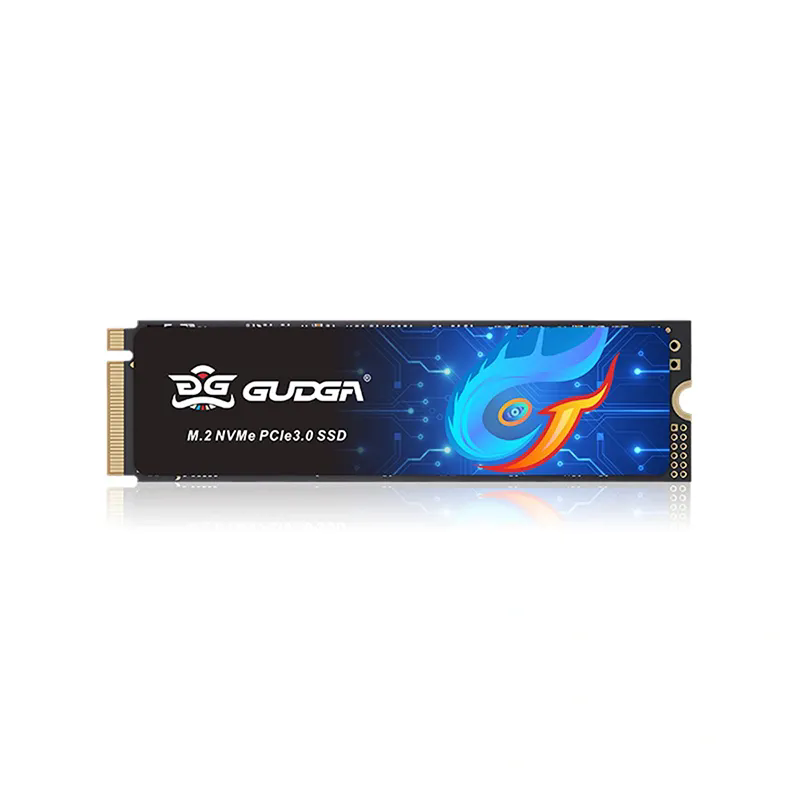
Why Consider GUDGA M.2 NVMe SSD Solutions?
As storage technology continues to evolve, businesses and consumers increasingly require dependable solutions that balance speed, stability, and long-term reliability. GUDGA offers a range of M.2 NVMe SSD products designed to support diverse applications, including gaming systems, commercial devices, industrial equipment, and high-performance computing environments.
Key advantages often sought by customers include:
- High-speed PCIe NVMe architecture
- Stable performance under demanding workloads
- Multiple storage capacity options
- Quality-focused manufacturing processes
- Compatibility with a broad range of systems
- Reliable data storage solutions for various industries
For organizations looking to enhance system responsiveness, reduce loading times, and improve operational efficiency, GUDGA M.2 NVMe SSD products provide a practical storage upgrade path.
Frequently Asked Questions
Q1: Is an M.2 NVMe SSD faster than a SATA SSD?
Yes. NVMe SSDs use the PCIe interface, which provides significantly greater bandwidth and lower latency than SATA SSDs.
Q2: How much SSD capacity do I need?
For most users, 1TB is an excellent starting point. Professional creators and heavy users may benefit from 2TB or more.
Q3: Does my motherboard support M.2 NVMe SSDs?
Check your motherboard specifications to confirm M.2 slot support and PCIe generation compatibility.
Q4: Do NVMe SSDs require cooling?
Many high-performance models benefit from heatsinks or adequate airflow, especially during sustained workloads.
Q5: How long does an NVMe SSD typically last?
A quality SSD can last for many years under normal usage conditions, particularly when equipped with a strong endurance rating and proper thermal management.
Conclusion
Choosing the right M.2 NVMe SSD involves more than comparing maximum speed numbers. Factors such as PCIe generation, storage capacity, endurance, cooling, and workload requirements all play important roles in achieving the best long-term results. By carefully evaluating these aspects, users can select a storage solution that delivers exceptional responsiveness, reliability, and value.
If you are searching for high-quality M.2 NVMe SSD solutions tailored to consumer, commercial, or industrial applications, GUDGA can help you find the right storage product for your needs. Contact us today to discuss your project requirements, request product information, and discover how GUDGA can support your next storage upgrade with dependable, high-performance SSD solutions.