

How to Choose and Use M.2 SATA SSD for Faster Storage Performance?
2026-06-08
Abstract
M.2 SATA SSDs have become a widely adopted storage upgrade solution for users who want improved speed, stability, and efficiency without moving to more expensive NVMe platforms. This article explains what M.2 SATA SSDs are, how they differ from other storage types, how to choose the right model, and how to install and maintain them effectively. It also highlights common user pain points such as compatibility confusion, performance expectations, and installation mistakes, offering practical guidance to ensure a smooth upgrade experience.
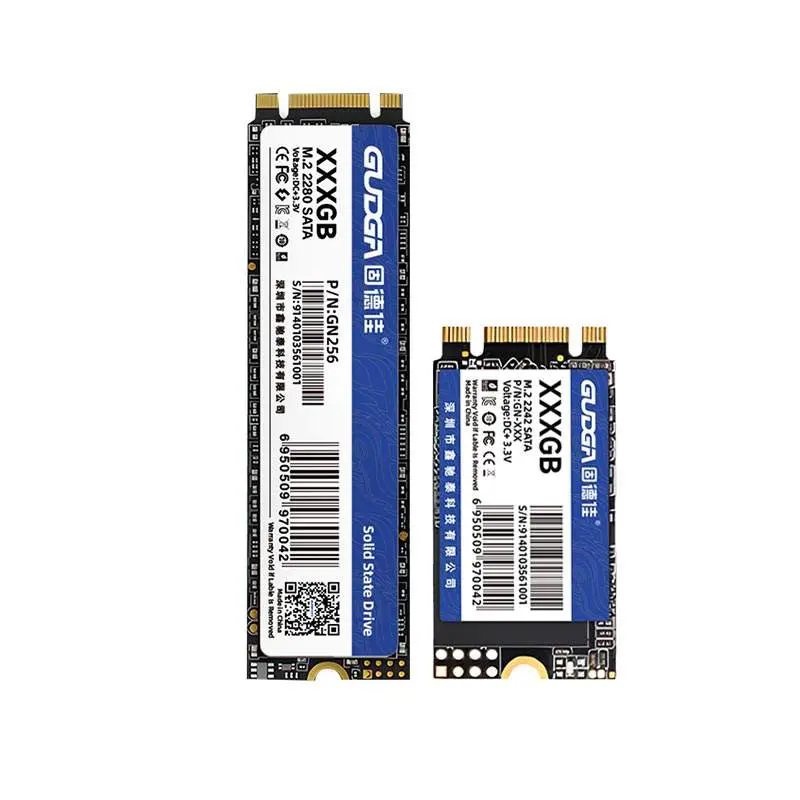
Table of Contents
- Article Outline
- Introduction
- What is M.2 SATA SSD?
- M.2 SATA vs NVMe SSD
- Key Benefits of M.2 SATA SSD
- Common Use Cases
- How to Choose the Right M.2 SATA SSD
- Installation Guide
- Common Problems and Solutions
- Maintenance Tips
- FAQ
- Conclusion
Article Outline
This article is structured to guide readers from basic understanding to practical implementation. It begins with foundational knowledge of M.2 SATA SSD technology, then moves into comparative analysis with NVMe drives, followed by real-world benefits and applications. It continues with selection criteria, step-by-step installation guidance, troubleshooting advice, and ends with maintenance strategies and frequently asked questions.
Introduction
Storage performance is one of the most critical factors influencing computer responsiveness. Many users still rely on traditional hard drives or older SSDs, often experiencing slow boot times, delayed application launches, and limited multitasking capability. M.2 SATA SSDs provide a significant upgrade path without requiring high-end hardware changes.
Unlike bulky HDDs, M.2 SATA SSDs are compact, energy-efficient, and significantly faster. They are especially popular among laptop users and desktop builders who want a balance between affordability and performance improvement.
What is M.2 SATA SSD?
An M.2 SATA SSD is a solid-state drive that uses the M.2 form factor but operates through the SATA interface. This means it shares similar speed limitations with traditional SATA SSDs but offers a much smaller physical footprint.
- Form Factor: M.2 (compact, gumstick-style design)
- Interface: SATA III (up to 6Gbps)
- Typical Speed: Up to ~550MB/s
- Compatibility: Requires M.2 SATA-supported motherboard slot
It is important not to confuse M.2 SATA SSDs with M.2 NVMe SSDs, as they look similar but perform very differently due to different communication protocols.
M.2 SATA vs NVMe SSD
| Feature | M.2 SATA SSD | M.2 NVMe SSD |
|---|---|---|
| Interface | SATA III | PCIe |
| Maximum Speed | ~550MB/s | 2000MB/s – 7000MB/s+ |
| Price | More affordable | Higher cost |
| Heat Output | Lower | Higher |
| Use Case | General computing, office, upgrade from HDD | Gaming, heavy workloads, professional editing |
While NVMe drives dominate high-performance computing, M.2 SATA SSDs remain highly relevant for everyday users seeking cost-effective upgrades.
Key Benefits of M.2 SATA SSD
- Faster Boot Times: Boot operating systems in seconds rather than minutes.
- Silent Operation: No moving parts, resulting in completely silent performance.
- Energy Efficiency: Lower power consumption compared to HDDs.
- Compact Design: Ideal for thin laptops and small form factor PCs.
- Improved Reliability: Less prone to mechanical failure.
Common Use Cases
M.2 SATA SSDs are widely used in several scenarios:
- Upgrading older laptops from HDD storage
- Office desktops requiring stable performance
- Budget-friendly PC builds
- Secondary storage for games and applications
- Industrial or embedded systems
How to Choose the Right M.2 SATA SSD
Choosing the correct SSD involves more than just capacity. Users often face compatibility issues or performance mismatches due to lack of research.
- Check Motherboard Compatibility: Ensure your slot supports SATA-based M.2 drives, not just NVMe.
- Capacity Selection: 256GB for basic use, 512GB–1TB for balanced workloads, 2TB+ for heavy storage needs.
- Endurance Rating: Look at TBW (Terabytes Written) for lifespan estimation.
- Controller Quality: Better controllers improve stability and sustained performance.
- Brand Reliability: Choose established manufacturers with proven track records.
Installation Guide
Installing an M.2 SATA SSD is straightforward, but must be done carefully:
- Power off the system and disconnect all cables.
- Locate the M.2 slot on the motherboard.
- Insert the SSD at a 30-degree angle.
- Gently press it down and secure it with the mounting screw.
- Boot the system and initialize the drive in disk management.
Incorrect installation can lead to drive detection failure or performance issues, so alignment and compatibility checks are essential.
Common Problems and Solutions
- Drive Not Detected: Check BIOS settings and ensure SATA M.2 support is enabled.
- Low Speed Performance: Confirm the drive is installed in a SATA-compatible slot.
- Overheating: Ensure airflow or add a heat spreader if needed.
- Storage Not Recognized in OS: Initialize and format the drive in disk management tools.
Maintenance Tips
- Keep at least 10–20% free space for optimal performance
- Avoid unnecessary write-heavy operations
- Update firmware when available
- Use system optimization tools sparingly
- Monitor drive health periodically
FAQ
Q1: Is M.2 SATA SSD faster than HDD?
Yes, significantly faster in boot speed, file transfer, and application loading.
Q2: Can I use M.2 SATA SSD in NVMe slot?
Not always. Some slots support both, but many NVMe-only slots do not support SATA drives.
Q3: Is M.2 SATA SSD still worth it in 2026?
Yes, especially for budget upgrades and general computing needs.
Q4: Does M.2 SATA SSD improve gaming performance?
It improves loading times but does not significantly increase FPS.
Conclusion
M.2 SATA SSDs offer a practical and cost-effective solution for users seeking noticeable performance improvements without investing in high-end NVMe systems. They deliver faster boot times, better reliability, and energy efficiency in a compact design, making them ideal for a wide range of users.
For users looking to upgrade storage performance with reliable engineering and consistent quality, GUDGA provides professional-grade M.2 SATA SSD solutions designed for stability and long-term use. If you are considering upgrading your system or need guidance on selecting the right model, GUDGA is ready to support your needs. Contact us today to explore the best-fit storage solution for your system.