

How Can You Adjust the Sensitivity of a UK Motion Sensor Socket
2026-10-29
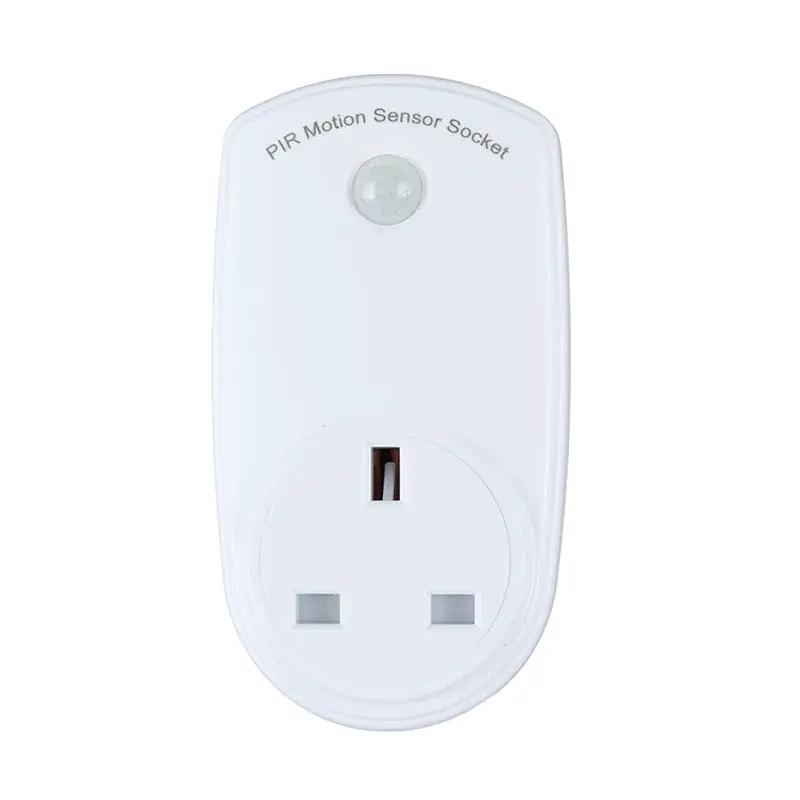
Motion-activated power sockets are becoming a practical choice for British homeowners who want convenience, security, and lower energy waste. Understanding how to fine-tune detection on a UK Motion Sensor Socket is the key to getting reliable performance, and choosing a well-engineered model from Aipulan makes that adjustment process far simpler. This guide explains the settings, the testing steps, and the common mistakes that affect detection accuracy.
Why Sensitivity Adjustment Matters
A UK Motion Sensor Socket that is set too high will trigger on passing cars, pets, or sunlight reflections. Set too low, and it may fail to detect a person walking into a hallway. The right setting balances false triggers against missed detection, which directly affects both security and electricity consumption.
The Controls You Will Typically Find
Most units designed for the UK market provide three adjustable parameters. The exact layout varies, but the functions are consistent.
| Control | Function | Typical Range | Recommended Starting Point |
|---|---|---|---|
| PIR sensitivity dial | Sets detection range and response threshold | Low to High | Mid position |
| Lux / light level dial | Defines the ambient brightness at which the sensor activates | 3 lux to 2000 lux | Around 50 lux for indoor use |
| Time delay dial | Sets how long the socket stays on after last detection | 5 seconds to 15 minutes | 1–3 minutes |
Aipulan models use clearly marked dials with tactile clicks, so adjustments can be made without removing the unit from the wall.
Step-by-Step Adjustment Method
-
Switch off the circuit at the consumer unit before removing any cover plate.
-
Locate the sensitivity dial (usually marked SENS or PIR).
-
Set the time delay to its minimum so you can test quickly without waiting.
-
Turn the lux dial to maximum so the sensor responds in daylight during testing.
-
Walk-test the area from the furthest point you want detected, approaching at normal walking speed.
-
Reduce sensitivity gradually until false triggers from nearby paths or roads stop.
-
Restore the lux setting to suit the actual light conditions of the installation.
-
Set the final time delay to a practical duration for the application.
Practical Sensitivity Guidance by Location
| Location | Suggested Sensitivity | Reason |
|---|---|---|
| Hallway or landing | Medium | Prevents triggers through internal doorways |
| Front porch | Medium to high | Catches visitors at the door quickly |
| Garage | High | Large open area with obstacles |
| Garden or driveway | Low to medium | Avoids activation from public footpaths |
| Utility room | Low | Small space, close-range detection only |
Factors That Affect Detection Performance
-
Mounting height: 1.8 m to 2.4 m is typical for a UK Motion Sensor Socket; higher mounting reduces downward coverage.
-
Ambient temperature: PIR sensors are less responsive when the background temperature is close to body temperature.
-
Obstructions: Glass, shelving, and foliage block infrared detection.
-
Direction of travel: Movement across the sensor's field is detected more reliably than movement directly toward it.
-
Load type: Large inductive loads can cause relay chatter, so confirm the rating matches the appliance.
Common Adjustment Mistakes
-
Leaving the lux dial at maximum, which causes the socket to activate in daylight.
-
Setting sensitivity to maximum in a small room, producing constant triggering.
-
Testing without isolating the circuit, which is a safety risk.
-
Ignoring the time delay, which makes walk-testing confusing.
Frequently Asked Questions
How do I know if the sensitivity on my UK Motion Sensor Socket is set correctly?
Walk toward the socket from the boundary of the area you want covered; it should activate reliably at that edge but stay inactive when you walk past outside the intended zone, and if it triggers beyond that boundary, reduce the sensitivity dial slightly and retest.
Why does my UK Motion Sensor Socket keep turning on when nothing is moving?
False activation usually comes from sunlight reflections, moving foliage, passing vehicles, or a heat source within the detection field, so lower the sensitivity, reduce the lux setting, and reposition the unit away from windows and external traffic.
Can I adjust the sensitivity on a UK Motion Sensor Socket without turning off the power?
No, you should isolate the circuit at the consumer unit before removing covers or touching internal controls, and on Aipulan units with external dials you can make routine adjustments without dismantling the socket, but any internal work must always be carried out with the power off.
Final Thoughts
Correct sensitivity settings turn a UK Motion Sensor Socket from an unreliable gadget into a dependable part of a home's lighting and security setup. Work through one dial at a time, test in real conditions, and record your final settings for future reference.
Contact us today to discuss the right Aipulan UK Motion Sensor Socket configuration for your property, request technical specifications, or place an order — our team is ready to help you specify the correct unit for every location in your installation.