

How Can 2.5 SATA SSDs Improve Your Storage Performance and Reliability?
2026-05-25
Fast boot times, reliable data storage, lower power consumption, and smoother multitasking are now essential for modern computing. Whether you are upgrading an office PC, gaming desktop, industrial device, or surveillance system, choosing the right storage solution matters. This article explains how 2.5 SATA SSDs work, their advantages, how to choose the right model, and why businesses worldwide trust GUDGA for dependable SSD storage solutions.
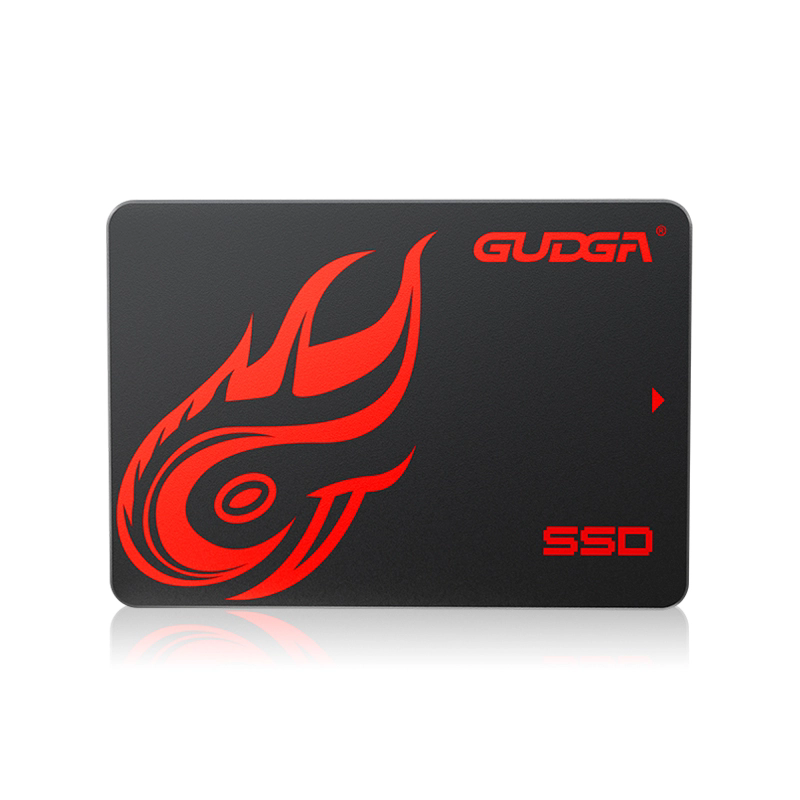
Table of Contents
What Are 2.5 SATA SSDs?
2.5 SATA SSDs are solid-state drives designed using the standard SATA interface and 2.5-inch form factor. Unlike traditional hard disk drives (HDDs), SSDs store data on NAND flash memory instead of spinning magnetic disks. This design significantly improves speed, durability, and energy efficiency.
The “2.5-inch” size allows these SSDs to fit easily into laptops, desktops, industrial computers, surveillance systems, POS terminals, and embedded devices. SATA remains one of the most widely compatible interfaces in the storage industry, making 2.5 SATA SSDs a practical and cost-effective upgrade option.
| Feature | 2.5 SATA SSD |
|---|---|
| Storage Technology | NAND Flash Memory |
| Interface | SATA III 6Gb/s |
| Common Capacities | 120GB – 4TB |
| Typical Read Speed | Up to 550MB/s |
| Typical Usage | PCs, Servers, Industrial Devices |
Why Upgrade to a 2.5 SATA SSD?
Many users experience slow system startup, lagging applications, long file transfer times, and unexpected HDD failures. Upgrading to a 2.5 SATA SSD directly addresses these issues.
- Faster Boot Times: Operating systems can load within seconds.
- Improved Multitasking: Applications respond faster during heavy workloads.
- Lower Power Consumption: SSDs consume less energy than HDDs.
- Silent Operation: No moving mechanical parts.
- Enhanced Durability: Better resistance to shock and vibration.
- Reliable Data Access: Faster random read/write performance.
For businesses handling large amounts of data daily, SSD upgrades can improve workflow efficiency and reduce downtime. This is especially valuable in retail systems, office workstations, surveillance recording systems, and industrial automation equipment.
HDD vs 2.5 SATA SSD Comparison
| Category | Traditional HDD | 2.5 SATA SSD |
|---|---|---|
| Speed | Slow | Very Fast |
| Noise | Mechanical Noise | Silent |
| Power Usage | Higher | Lower |
| Shock Resistance | Low | High |
| Heat Generation | More Heat | Less Heat |
| Maintenance Risk | Mechanical Wear | Minimal Wear |
Best Applications for 2.5 SATA SSDs
2.5 SATA SSDs are widely used across different industries because of their stability and compatibility.
Office Computers
Increase productivity with faster software loading and smoother multitasking performance.
Gaming PCs
Reduce game loading times and improve overall gaming responsiveness.
Industrial Equipment
Reliable storage for embedded systems operating in demanding environments.
Surveillance Systems
Stable data recording performance for security monitoring and video storage.
How to Choose the Right 2.5 SATA SSD
Selecting the correct SSD depends on your workload, storage needs, and performance expectations. Here are several important factors to consider before purchasing.
- Capacity: Choose based on operating system, applications, and file storage requirements.
- Read/Write Speed: Higher speeds improve data transfer and system responsiveness.
- Endurance: Important for industrial and surveillance applications with continuous writing.
- Controller Quality: Affects stability and long-term performance.
- NAND Type: TLC and 3D NAND offer a balance between performance and durability.
- Warranty Support: Reliable manufacturers provide stronger after-sales protection.
Businesses looking for stable bulk supply and customized storage solutions often prefer working directly with experienced SSD manufacturers like GUDGA.
How to Install a 2.5 SATA SSD
Installing a 2.5 SATA SSD is relatively simple and usually takes less than 30 minutes.
- Power off the computer completely.
- Open the computer case or laptop back cover.
- Mount the SSD into the 2.5-inch drive bay.
- Connect the SATA data cable and power cable.
- Initialize and format the SSD through the operating system.
- Install the operating system or clone existing data.
Most modern systems automatically recognize SATA SSDs without requiring additional drivers.
Key Benefits for Businesses
For commercial users, SSD reliability directly affects operational efficiency. Downtime, slow performance, or storage failure can impact productivity and customer experience.
- Faster system deployment
- Reduced maintenance costs
- Lower energy consumption
- Improved workstation efficiency
- Long-term stable operation
- Better protection against vibration damage
Industries including retail, healthcare, automation, finance, transportation, and education increasingly rely on SSD storage to improve performance and reliability.
Why Choose GUDGA SSD Solutions?
GUDGA specializes in high-quality SSD storage products designed for both consumer and industrial applications. The company focuses on stable performance, strict quality control, and reliable supply capabilities for global customers.
The GUDGA 2.5 SATA SSD product line supports multiple capacities and application scenarios, making it suitable for laptops, desktops, industrial computers, servers, surveillance systems, and embedded devices.
Key advantages of GUDGA SSD solutions include:
- Stable high-speed performance
- Wide compatibility
- Rigorous testing standards
- Competitive pricing
- Support for OEM and ODM projects
- Reliable global supply chain support
FAQ
Can a 2.5 SATA SSD replace my old HDD directly?
Yes. Most laptops and desktops that use a 2.5-inch HDD can directly upgrade to a 2.5 SATA SSD.
Are SATA SSDs still worth buying today?
Absolutely. SATA SSDs remain highly popular because of their affordability, compatibility, reliability, and strong performance for everyday computing.
How long do 2.5 SATA SSDs typically last?
High-quality SSDs can last many years depending on workload, write cycles, and operating conditions.
Do SATA SSDs improve gaming performance?
Yes. While they may not increase frame rates directly, they significantly reduce loading times and improve system responsiveness.
What capacity should I choose?
For general office use, 256GB or 512GB is usually sufficient. Gaming and professional workloads often benefit from 1TB or higher capacities.
Upgrade Your Storage with GUDGA
Whether you need dependable SSD solutions for personal computers, enterprise systems, industrial applications, or OEM projects, GUDGA provides reliable storage products designed for long-term performance and stability.
If you are looking for professional SSD manufacturing support, customized solutions, or bulk purchasing services, contact us today and discover how GUDGA can help optimize your storage infrastructure.