

Can I Replace the External Antennas on My WiFi 6E Router to Improve Signal Strength
2026-11-17
Many homeowners and small-office users ask whether swapping the stock antennas on a modern router can actually boost coverage. The short answer is yes, in the right conditions. WiFi 6/7 Router External Antenna upgrades are one of the most cost-effective ways to reshape your wireless coverage, and Qianmu has spent years engineering antennas that match the electrical and mechanical requirements of today's tri-band routers. Before you unscrew anything, however, it helps to understand what replacement can and cannot achieve.
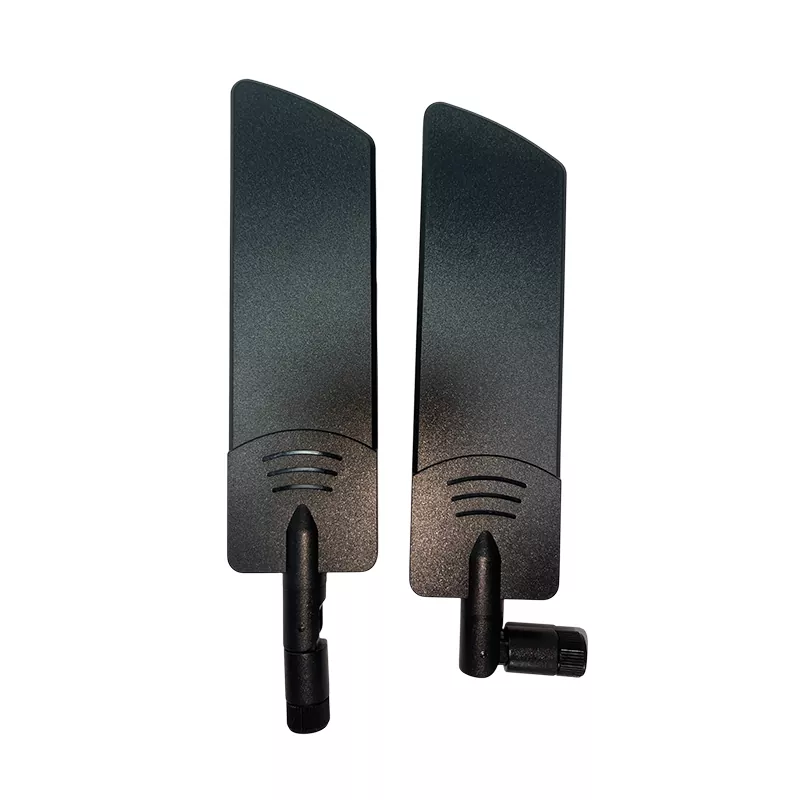
What Replacement Antennas Can and Cannot Do
Replacing antennas does not increase the transmit power of your router. What it changes is how that power is shaped and where it is directed. A higher-gain antenna compresses the radiation pattern, trading vertical spread for horizontal reach. That is ideal for a single-floor home or a long warehouse aisle, but it can leave a second floor underserved.
| Goal | Stock Antenna | Upgraded WiFi 6/7 Router External Antenna |
|---|---|---|
| Single-floor horizontal range | Moderate | Noticeably improved |
| Multi-floor vertical coverage | Balanced | May weaken if gain is too high |
| 6 GHz band throughput at distance | Limited | Improved with matched gain |
| Aesthetic and placement flexibility | Fixed | Adjustable angle and length |
Compatibility Checks Before You Swap
WiFi 6E routers operate across 2.4 GHz, 5 GHz, and 6 GHz, so the antenna must be rated for the full frequency span. Most consumer routers use RP-SMA connectors, but some models use reverse-polarity TNC or proprietary fittings. Confirm three things first:
-
Connector type — RP-SMA male on the antenna, RP-SMA female on the router, is the most common standard.
-
Frequency rating — the antenna must explicitly cover 6 GHz, not just 2.4 and 5 GHz.
-
Band design — tri-band routers often use one antenna per band internally, so a single replacement may only affect one radio.
Qianmu publishes connector and frequency specifications for every model, which removes the guesswork from this step.
Practical Steps for a Clean Upgrade
-
Power down the router and label each antenna position.
-
Match gain to your space: 5 dBi for balanced coverage, 7–9 dBi for long horizontal reach.
-
Keep antennas vertical for horizontal spread; angle one horizontally only if you need to reach a specific corner.
-
Test with a signal survey app before and after, on all three bands.
-
Re-check 6 GHz performance separately, since its shorter wavelength behaves differently.
Frequently Asked Questions
Can I replace the external antennas on my WiFi 6E router to improve signal strength? Yes, provided the replacement WiFi 6/7 Router External Antenna matches your connector type and covers the 6 GHz band; gains of 2–4 dBi are typical in real-world conditions.
Will a higher-gain antenna always give better coverage? No, because higher gain narrows the radiation pattern, so a 9 dBi antenna may extend horizontal reach while reducing vertical coverage on multi-floor homes.
Do I need separate antennas for the 6 GHz band? Not always, but the antenna must be rated for 6 GHz; a 2.4/5 GHz-only antenna will detune and underperform on the newest band.
Is it safe to use third-party antennas with my router? Yes, as long as the connector and impedance match; Qianmu antennas are tested for 50-ohm impedance and full tri-band operation.
How many antennas should I replace at once? Replace all external antennas as a matched set to keep the radiation pattern symmetrical and avoid band imbalance.
Final Thoughts
Antenna replacement is a genuine, measurable upgrade when the specifications align with your router and your floor plan. Match the connector, confirm 6 GHz coverage, and choose gain based on room geometry rather than maximum numbers. Qianmu supplies tested WiFi 6/7 Router External Antenna solutions with published specifications and responsive technical support.
Contact us today to discuss your router model and floor plan, and let our team recommend the right antenna set for your coverage goals.